Visual Guide
Start with the application boundary, then follow a request to its model. Each figure links to a guide with runnable examples and precise behavior. Select a figure to open the SVG at full size; the text below it also explains its purpose. In the detailed guides, use Expand diagram to read dense Mermaid diagrams and scroll horizontally, then Fit diagram to page to return to the overview.
1. The application boundary
Build with FireflyAgent, Firefly tools, MemoryManager, and ModelOptions.
Pydantic AI supplies the model engine. Reasoning patterns, validation, experiments,
and orchestration are capabilities you compose around that boundary. The layers
organize responsibilities; they do not assert an enforced import hierarchy.
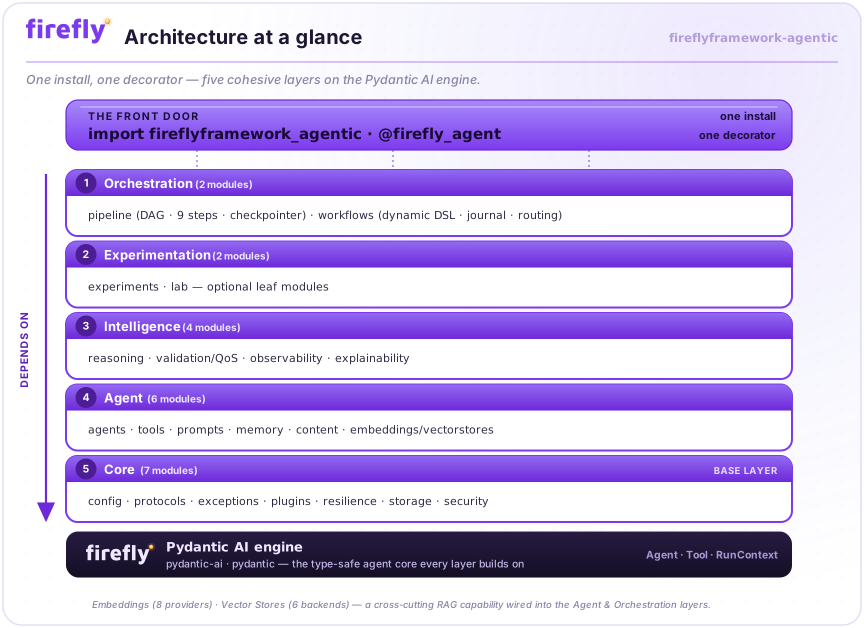
Read Architecture for component responsibilities and extension points.
2. Model selection and API compatibility
The model selector chooses the provider and API. Typed options are merged and
validated before a request. Existing openai: / azure: selectors retain Chat
Completions; openai-responses: / azure-responses: select Responses explicitly.
The application interface stays the same, while each model's capabilities still
constrain tools, reasoning, sampling and structured output.
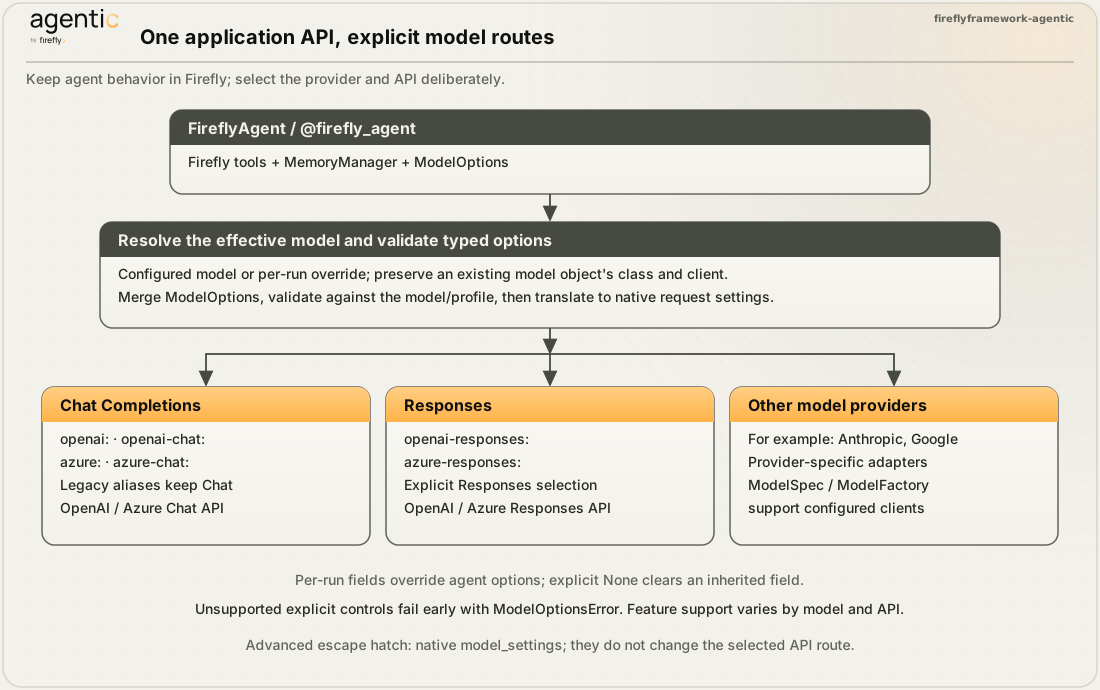
Read Models and options for precedence, credentials, capability validation and model-specific constraints, or Migration when upgrading.
3. A request through an agent
FireflyAgent coordinates model options, memory, middleware, tools and lifecycle
hooks. Logging middleware is installed automatically; observability follows its
configuration. Other middleware is explicitly attached. A regular agent call does
not automatically run a reasoning pattern or output reviewer.
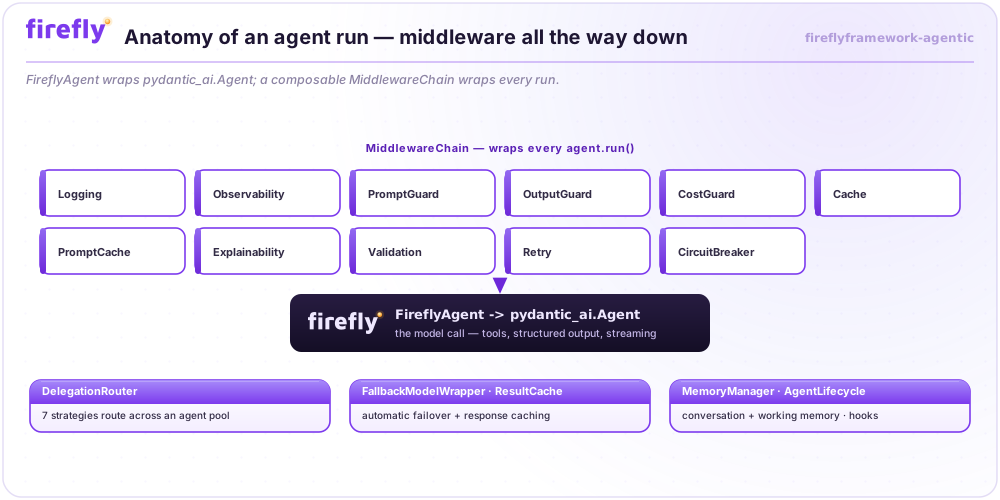
Read Agents for run modes and lifecycle details, Tools for
guards and deferred approval, and Memory for retention rules.
Conversation history is process-local unless exported and imported; a persistent
MemoryStore backs working memory, not automatic conversation persistence.
4. Extend a component
Structural protocols and abstract base classes offer different extension styles. Attach or register your implementation through the relevant module's API. Runtime instance checks apply only to protocols declared runtime-checkable.
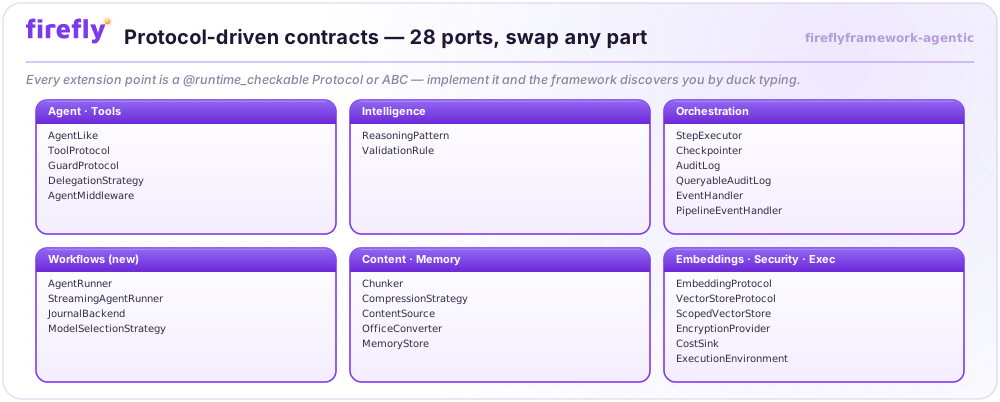
Read Architecture, Tools, Embeddings and Vector stores for the corresponding contracts.
5. Add deliberate reasoning
Choose a reasoning pattern when an application needs a multi-step strategy. The patterns produce structured results and traces; their control loops and stop conditions differ. These application-visible traces are structured records, not a guarantee that a provider exposes its internal reasoning.
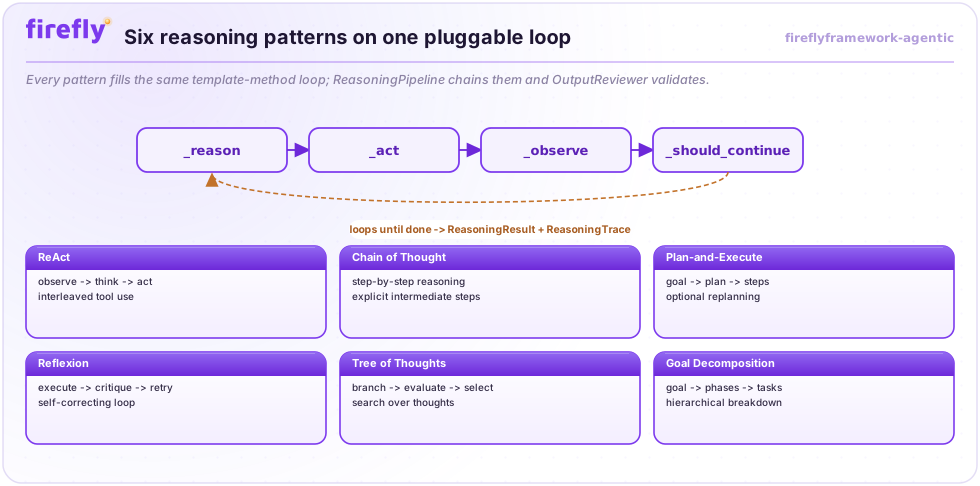
Read Reasoning to choose a pattern, bound execution and manage memory.
6. Orchestrate agents
Pipelines schedule ready nodes from dependency edges. Conditional Send routing
and Pause are separate controls; checkpointing and resumption are explicit.
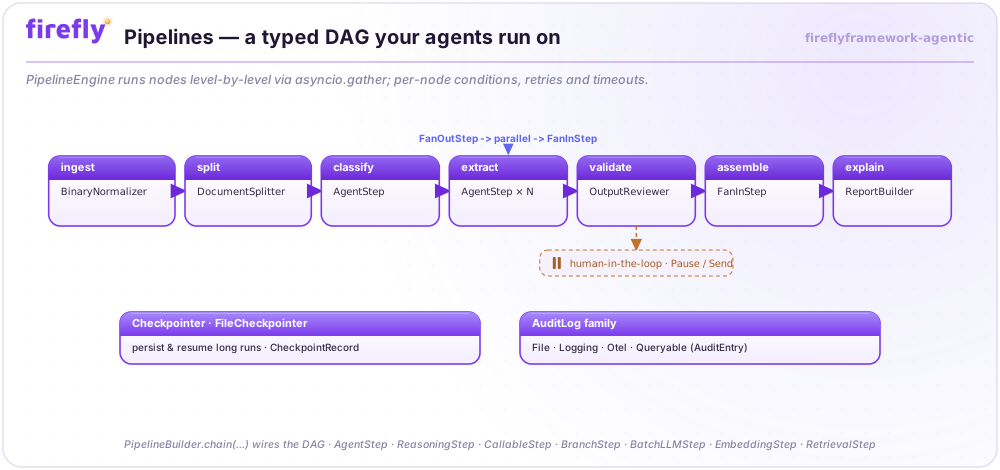
Dynamic workflows express orchestration in Python. Their runner calls agents, while a journal records completed operations for resumable execution. Tools with external side effects still need application-level idempotency.
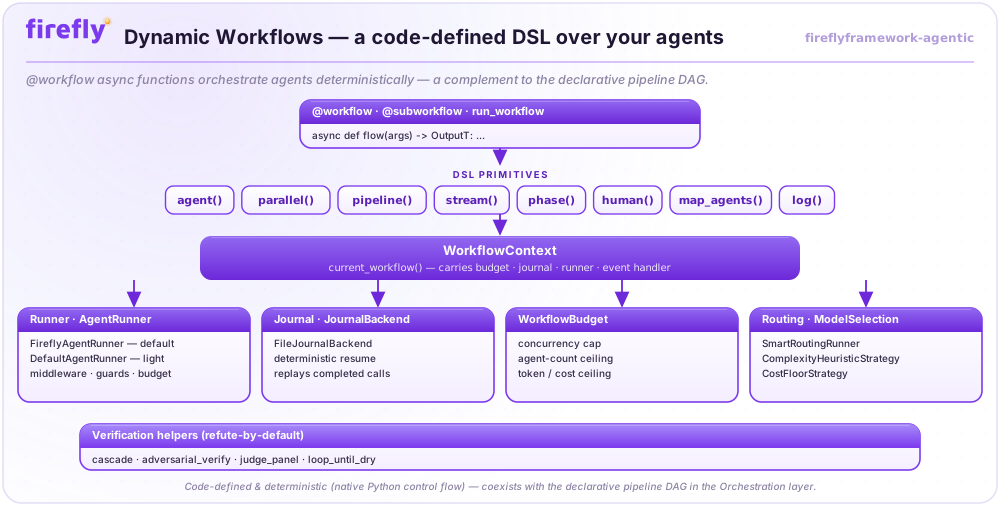
Read Pipelines and Workflows to select the appropriate orchestration model. The IDP walkthrough combines these concepts in document processing.
7. Ground answers with retrieval
Embedding and vector-store interfaces are separate from chat-model selection. Ingest and embed documents, retrieve relevant passages, then supply that context to an agent. The framework provides the components; the application wires the retrieval and generation steps together.
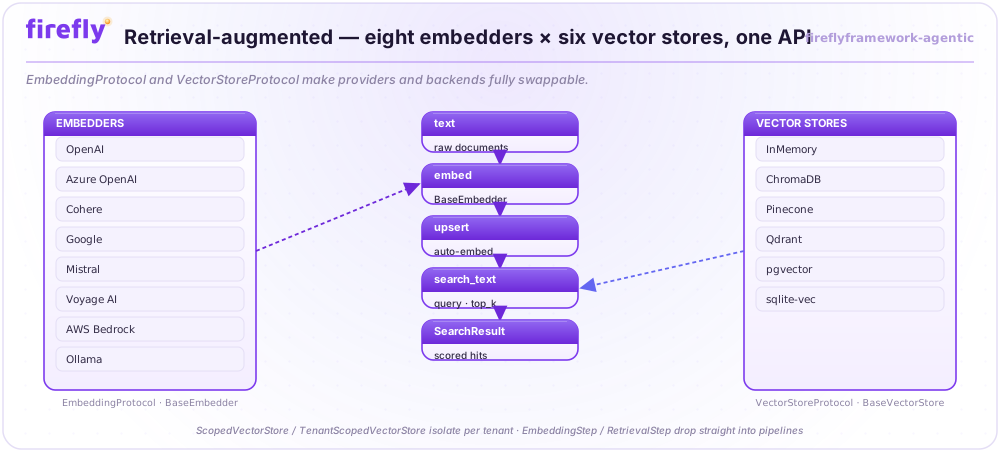
Read Embeddings and Vector stores, then explore the example catalogue.
Maintaining these diagrams
The branded SVGs are generated from one source and mirrored into the documentation site. Mermaid diagrams live beside the explanations in each guide. The asset guide describes regeneration; the documentation contributor guide covers strict builds, links and browser rendering checks.