Identity and appearance
Administrators can adapt the installed product to their organization by opening Settings and selecting Identity & appearance in the Organization group. Change the product name, assistant name, light and dark logos, assistant symbol, browser icon and both color palettes. The preview changes as you edit; other screens change only after Save changes succeeds. Discard changes restores the last saved values.
Organization changes require settings:write for the organization. Workspace administration alone does not grant this permission. Existing catalog, knowledge, query or chat scopes allow reading the identity only within an authorized organization. Branding never grants knowledge access or changes source attribution.
Configure the identity visually
- Open Settings and select Identity & appearance in the Organization group. Confirm the organization shown below the heading.
- In Identity, enter the product and assistant names and choose the bundled Manrope or Inter interface font. Upload or drop each logo/icon onto its own field. Light and dark assets have separate previews; transparent areas use a checkerboard.
- Open Colors. Enter a brand color and choose Apply to both themes to generate readable action and link colors without saving. Then select Light or Dark to refine each token. The readability panel reports the measured ratios.
- Switch the live preview between Chat, Navigation and Sign-in. On mobile, expand Preview your identity when needed; it does not occupy the form by default. The sign-in preview uses the installation identity, as explained below.
- Choose Save changes. Discard changes returns to the saved record. If another administrator saves first, reload the settings before submitting another update.
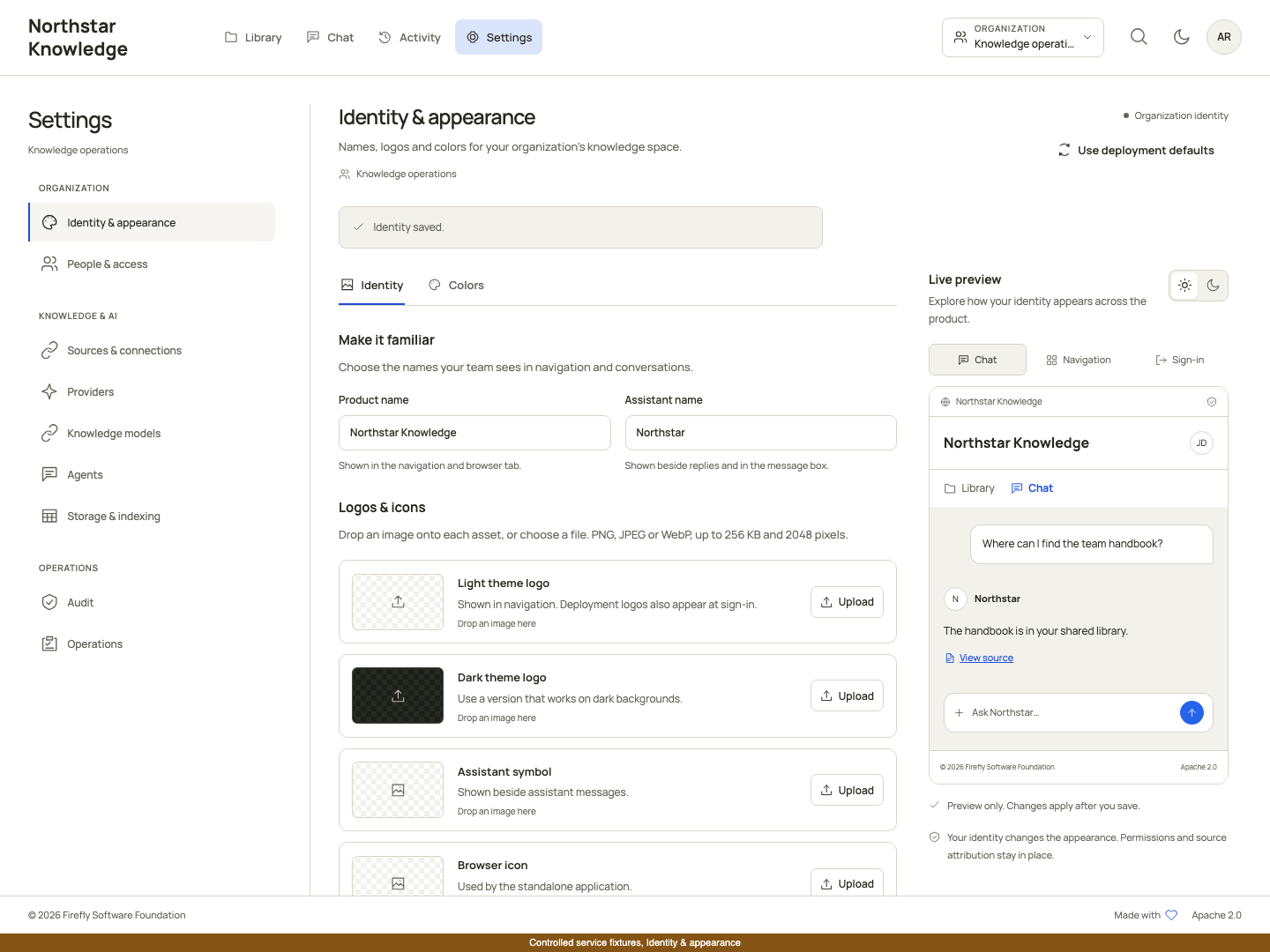
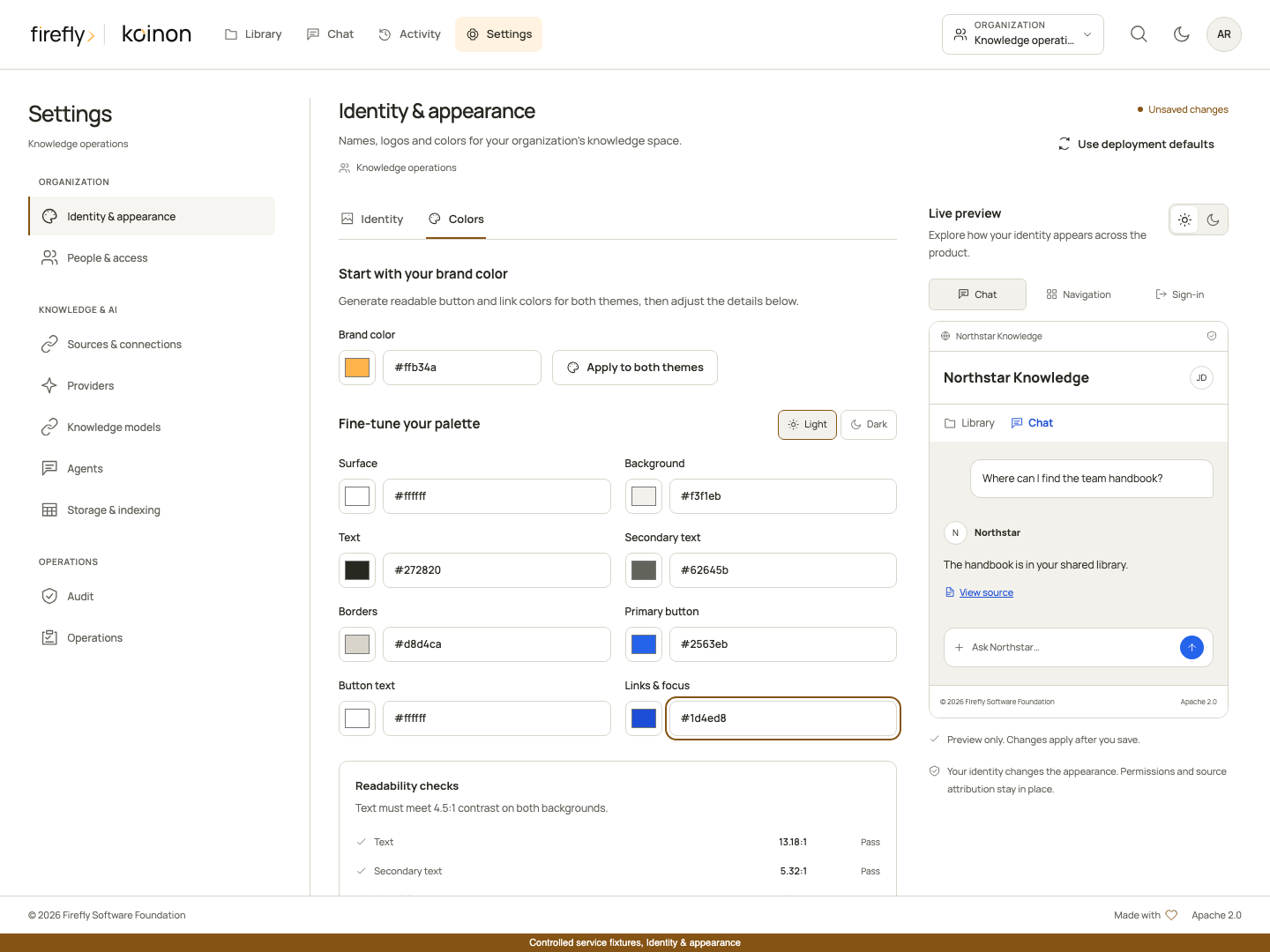
The screenshots show the built interface with controlled example data. The example customer name is not the default product identity. See the visual walkthrough for the surrounding organization, library and account flows.
Installation defaults and organization overrides
Set installation defaults under koinon.branding in the configuration supplied through KOINON_CONFIG_FILE:
koinon:
  branding:
    product_name: Northstar Knowledge
    assistant_name: Northstar
    font_family: Inter
    palette:
      light:
        surface: '#ffffff'
        canvas: '#f8fafc'
        text: '#172033'
        muted: '#475569'
        line: '#cbd5e1'
        action: '#2563eb'
        action_text: '#ffffff'
        accent: '#1d4ed8'
Unspecified deployment fields use the shipped Firefly defaults. Manrope remains the default interface typeface; Inter is an optional bundled choice. Names may contain 1–64 printable characters. Native assistant generation resolves the active owner's authorized organization identity and supplies only the bounded product and assistant names as escaped JSON display labels. These labels grant no permissions and are explicitly excluded from model instructions and evidence. New export/share reviews retain an immutable identity snapshot, so later renaming does not relabel an already reviewed transcript; historical reviews without an identity remain explicitly unrecorded.
The sign-in page uses the installation identity, available through the public, read-only GET /api/v1/branding/defaults endpoint. It does not reveal an organization's settings before authentication. After sign-in, the selected organization's saved override takes precedence. The standalone application updates its browser title and icon. When a renamed product has no custom logo, its name is displayed as text rather than retaining the original product logo.
When the product name or logo is customized, the sign-in footer retains a small Powered by koinon credit with the canonical product logo. The header displays the installation logo, and the sign-in card focuses on the access action without an assistant avatar. The signed-in footer keeps the same credit and the Firefly Software Foundation copyright. Native Firefly and koinon branding does not repeat that credit. Supply both light and dark logo assets so your organization’s mark remains readable when someone changes themes.
The navigation omits the organization selector when the account has only one available organization. Its knowledge spaces, Library folders and chat projects remain separate, permission-governed resources. If an account can access multiple organizations, navigation provides a selector for that authorized list.
The standalone sign-in, account and logout notices use the selected bundled font within the application boundary. Native MCP consent uses the installation name, light/dark logos, icon, font and palettes through same-origin backend responses under its existing restrictive content security policy. It does not read private organization overrides before the user chooses an authorized scope. The MCP review resource includes both fonts and their licenses in the Python wheel, without an Angular build or external font service. Its initial identity uses installation defaults; authorized private review metadata can apply the organization's name, small symbol, font and palettes. Identity changes do not authorize a review or replace the required explicit approval.
Use deployment defaults previews the installation identity. Save to restore inheritance. Resetting preserves the revision counter, so an older open editor cannot overwrite a newer change. A conflict requires reloading before another save.
The sign-in screen and ended sessions share a decorative, self-hosted knowledge-library illustration. Embedded applications serve illustrations/knowledge-library.webp and its knowledge-library-768.webp mobile variant alongside the other assets beneath brandBase. The existing brand-copy pipeline includes both files. Authentication remains available if an illustration cannot be loaded.
Images and colors
Upload PNG, JPEG or WebP images, up to 256 KiB each, with neither dimension exceeding 2048 pixels. Animated images, SVG, remote image URLs and executable formats are rejected. The server decodes and rewrites accepted images as metadata-free PNGs and checks the normalized size too. Deployment configuration uses the same validated data:image/...;base64,... representation. Small identity assets are stored with the revisioned identity record; this does not change knowledge-file object storage or its retention policy.
Configure the light and dark palettes independently. All colors use six-digit hex notation. Text, secondary text and link colors must meet 4.5:1 contrast against both surface and canvas; primary-button text must meet 4.5:1 against its button color. The server enforces these checks as well as the editor. Layout, interaction sizes, legal notices and semantic status indicators remain part of the product's design system.
API and SDKs
The API supports these operations:
| Operation | Route |
|---|---|
| Installation identity | GET /api/v1/branding/defaults |
| Effective organization identity | GET /api/v1/tenants/{tenant_id}/branding |
| Save override | PUT /api/v1/tenants/{tenant_id}/branding |
| Restore inheritance | POST /api/v1/tenants/{tenant_id}/branding/reset |
Writes include expected_revision. Saving also includes a branding object; reset includes only the expected revision. Responses record the effective identity, its origin and its current revision. Updates are audited without including image bytes in audit events.
TypeScript exposes client.branding.defaults(), .get(tenantId), .update(tenantId, input) and .reset(tenantId, input). Python exposes branding_defaults(), organization_branding(tenant_id), update_organization_branding(tenant_id, input) and reset_organization_branding(tenant_id, input). Java exposes client.branding() for installation defaults and client.branding(tenantId) for organization operations. All use generated DTOs.
Embedded applications
The Angular workbench accepts an optional typed branding input and emits its effective identity through brandingChange. An explicit host identity takes precedence over organization settings in that embedded instance. The custom element accepts the same object as its branding JavaScript property. Use brandBase for the location of the shipped logo and bundled font assets. Only Manrope and Inter are accepted; arbitrary CSS font expressions and remote font URLs are rejected.
Each workbench owns its identity service and CSS variables inside its shadow root. Differently branded workbenches can coexist without changing the host page's styles, title or favicon. The standalone management application handles its own document metadata through the identity event. A host application can choose whether to do the same.
Persistence and rollout
Native migration koinon_0019_org_branding adds the organization identity table after migration 0018. Apply it through the normal reviewed deployment migration procedure before deploying the new backend. Organization records use revision checks and retain update actor/time; restoring inheritance retains the row instead of deleting its revision history. Legal attribution remains Firefly Software Foundation under Apache 2.0.