A visual guide to Weave
Use this page when a name or a boundary is unfamiliar, or when you want the picture behind a guide. Every diagram also appears in the guide that explains it, next to the commands and limits. A diagram is a map; the guide gives the steps. Open the SVG on its own when your screen is too narrow to read the labels.
Start with the learning route
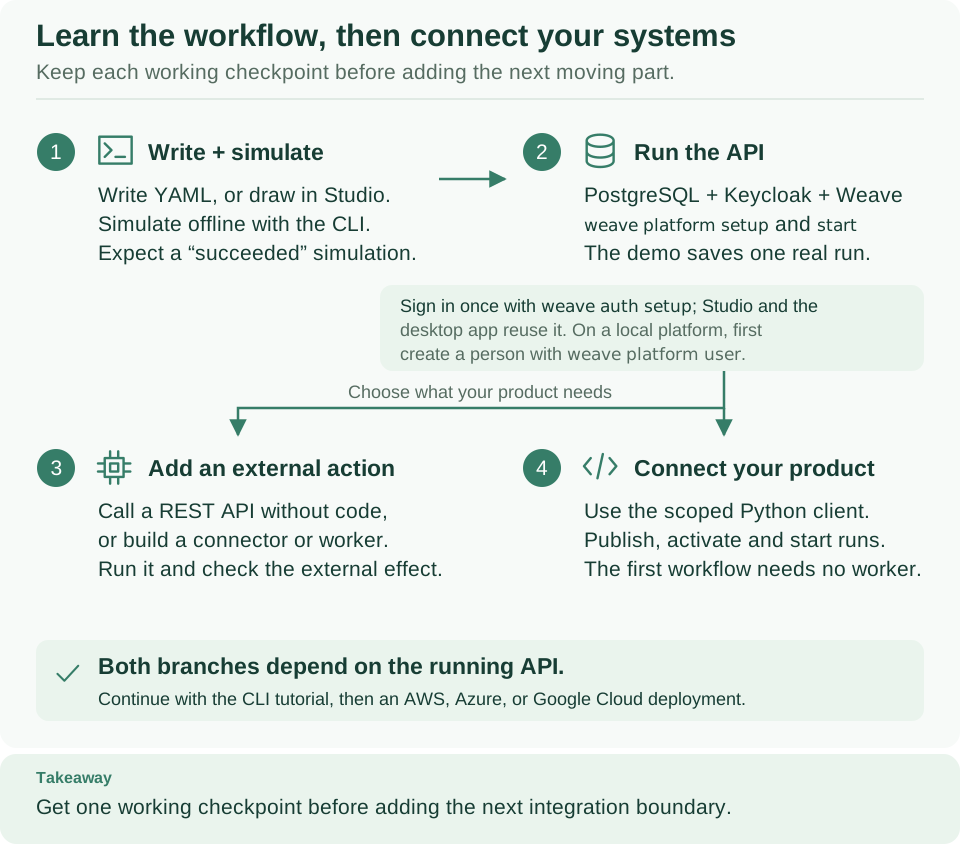
Begin with the quickstart and simulate the first workflow on your computer (1). Start a local platform and sign in (2), then use the CLI tutorial to publish, activate, start, and inspect a run. Next, call another system (3), with a REST API without code or your own connector or worker, or connect your product (4). Start here orders the guides for each role. Open diagram at full size
Choose the question you need to answer
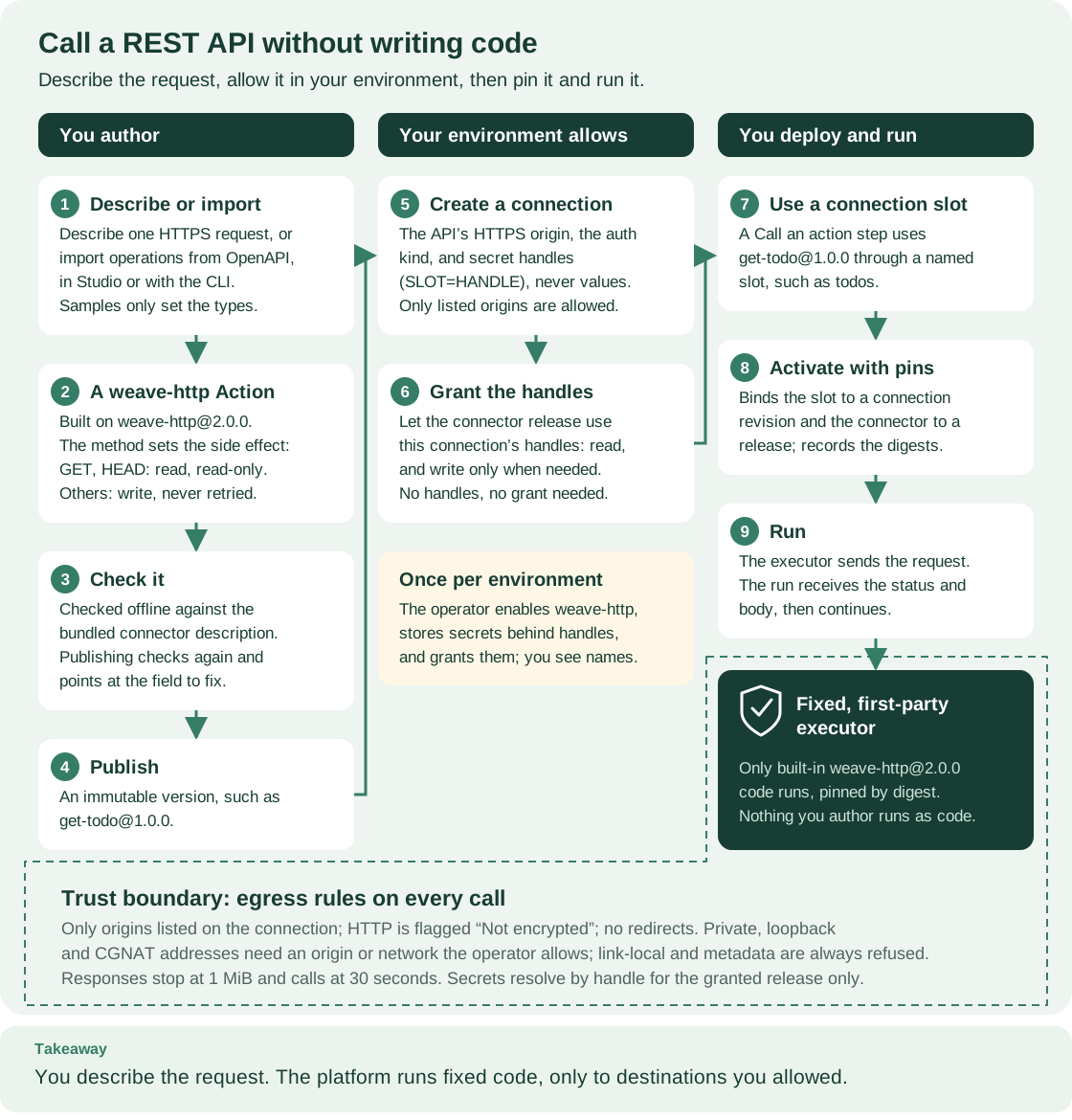
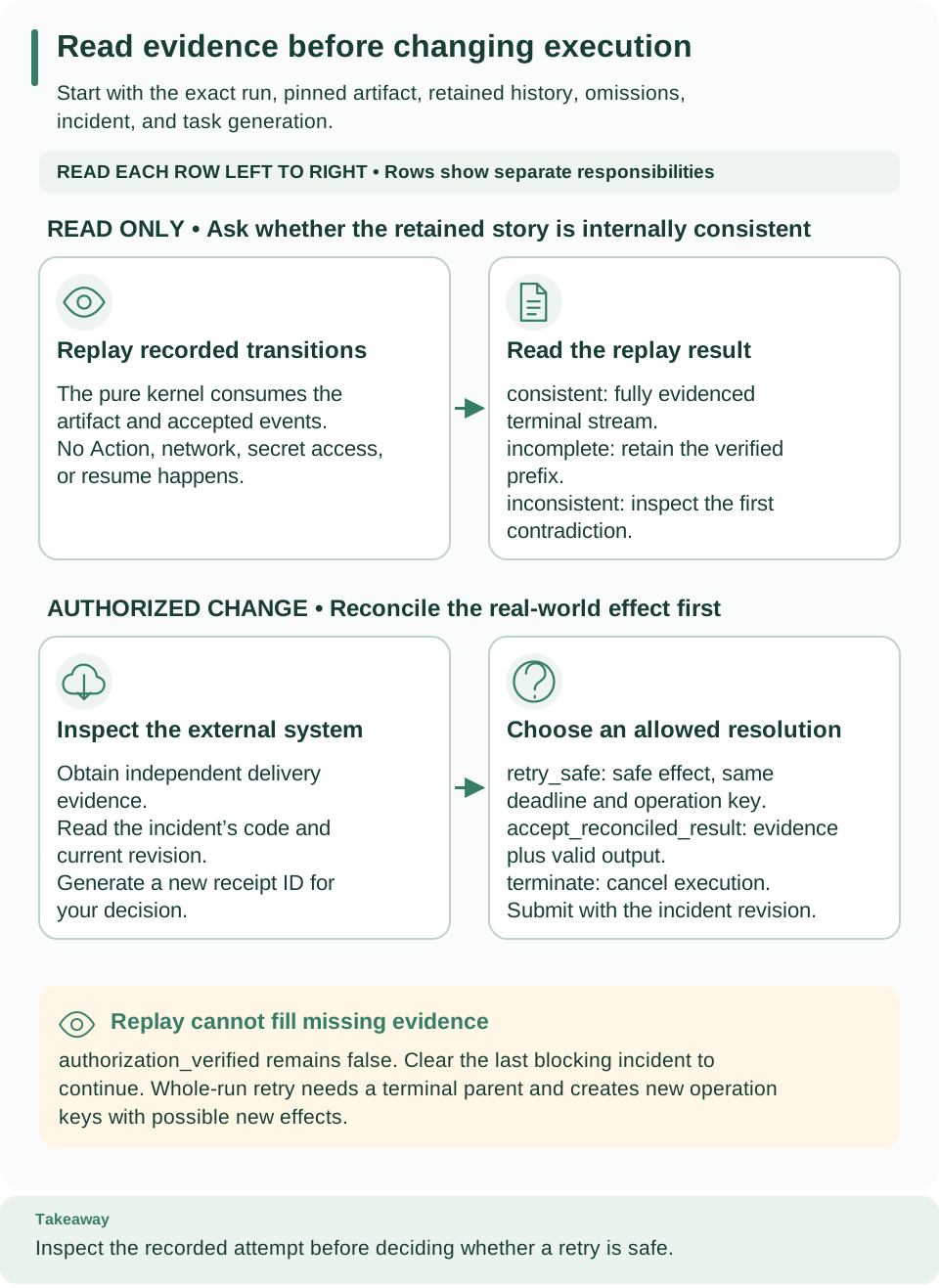
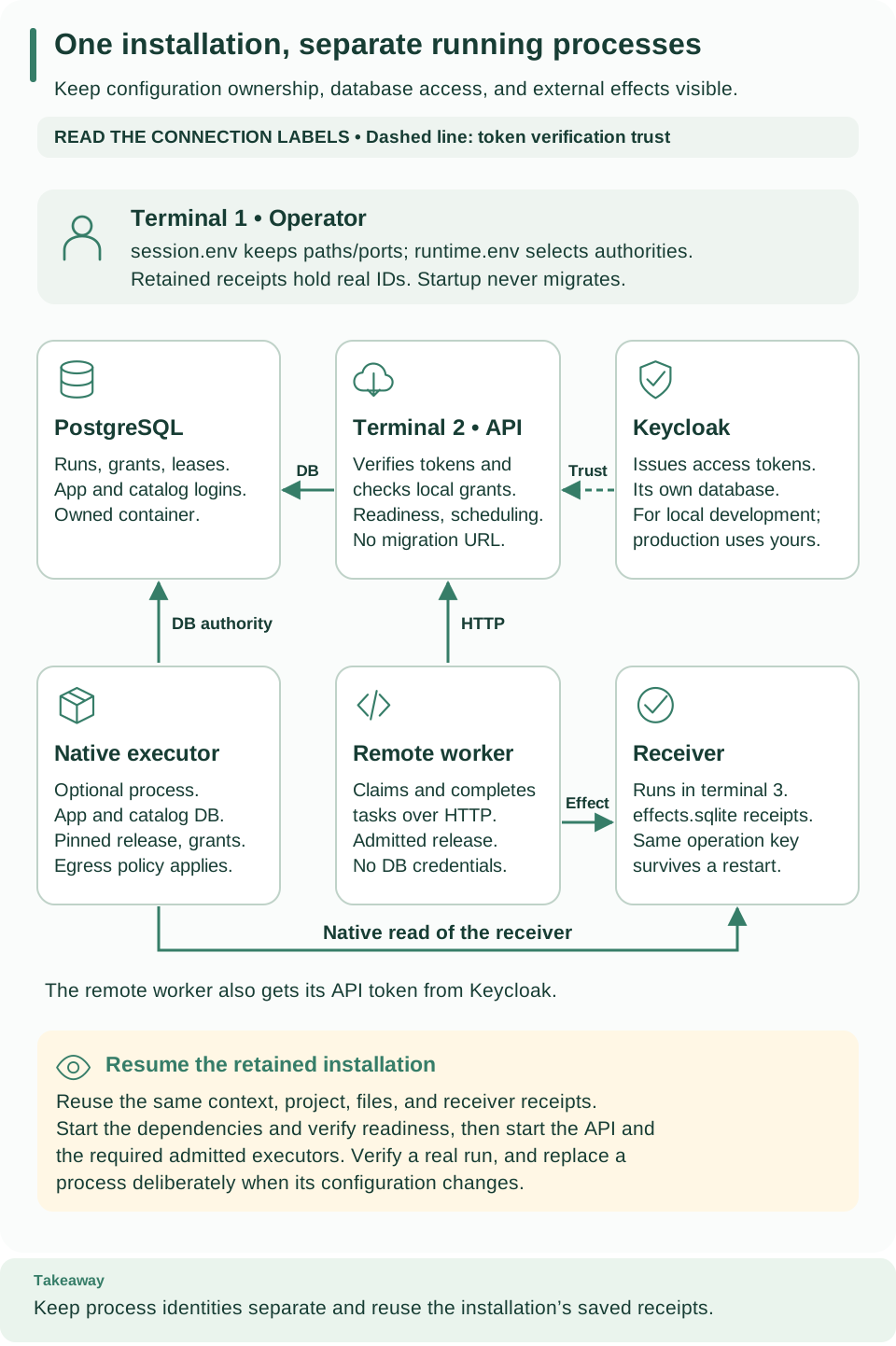
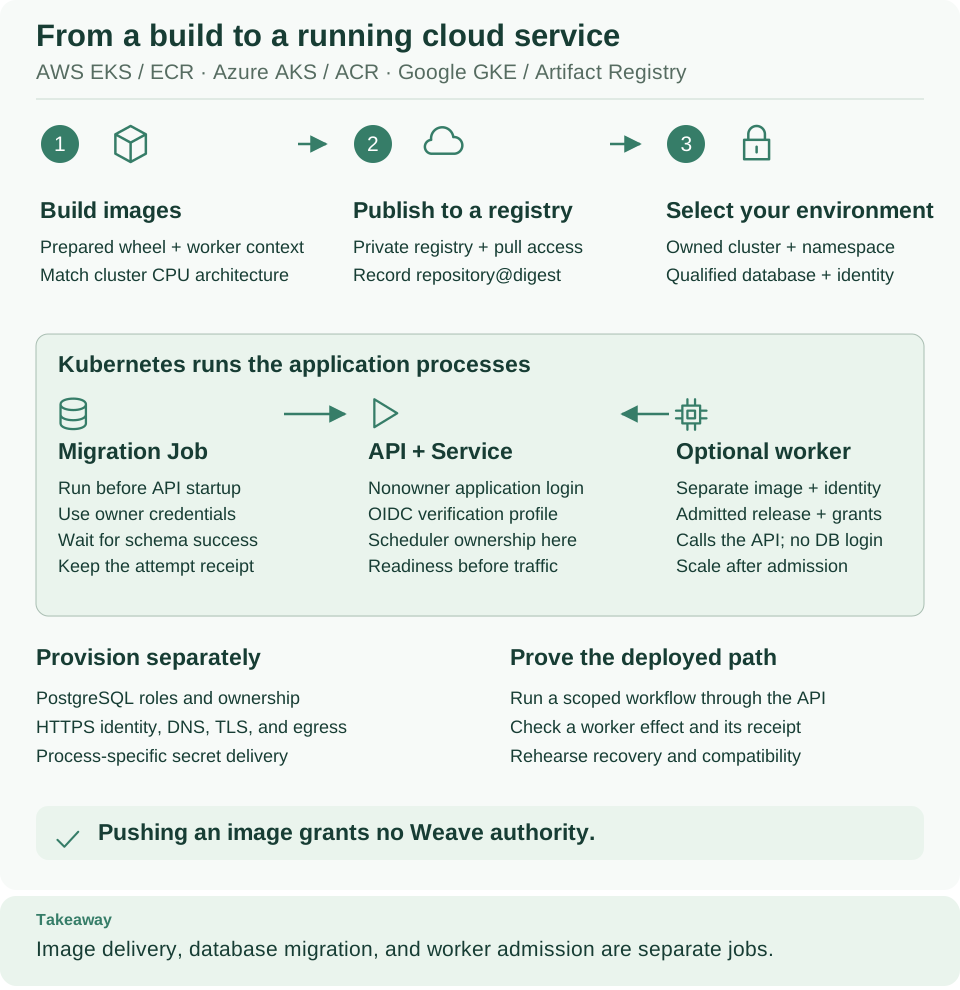
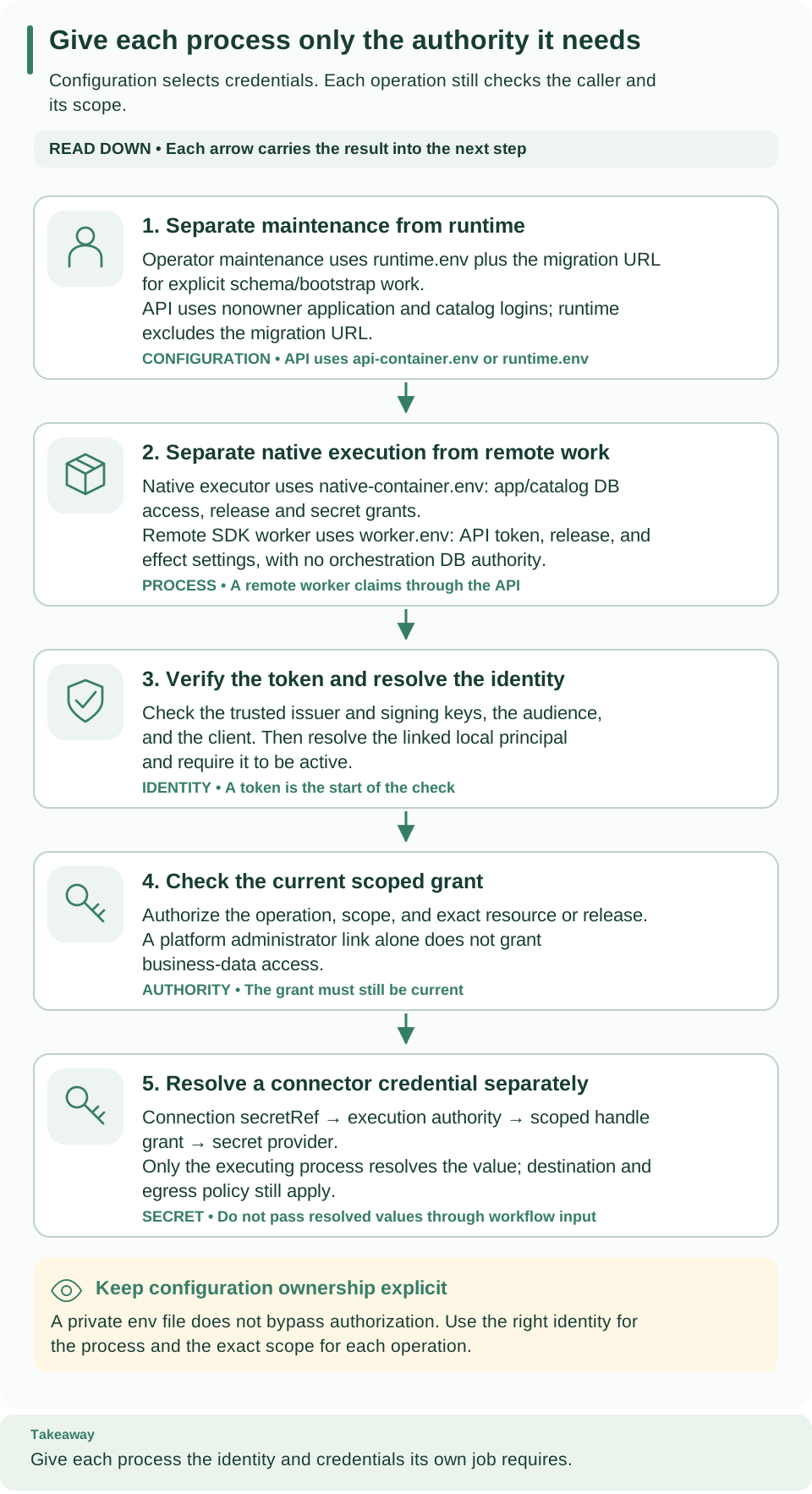
Draw your own workflow
Use the graph tutorial to export your compiled workflow as text, Mermaid, or SVG. The diagrams on this page explain how the platform behaves; a generated workflow graph explains your own definition.
How to read the diagrams
- Numbers give the reading order. Follow them from 1 upward; a caption under each diagram in its guide explains where to start.
- A box names a resource, a process, or a decision. The caption says which.
- A solid arrow is a request, a data flow, or a lifecycle step. A dashed arrow is usually the answer coming back. An arrow never means that one transaction spans several systems.
- Columns and lanes separate who owns a step: you, an administrator, the platform, or an external system. Credentials appear only on the side that needs them.
- A shaded note gives a rule or a boundary that applies to the whole picture. Takeaway, at the bottom, is the one idea to remember.
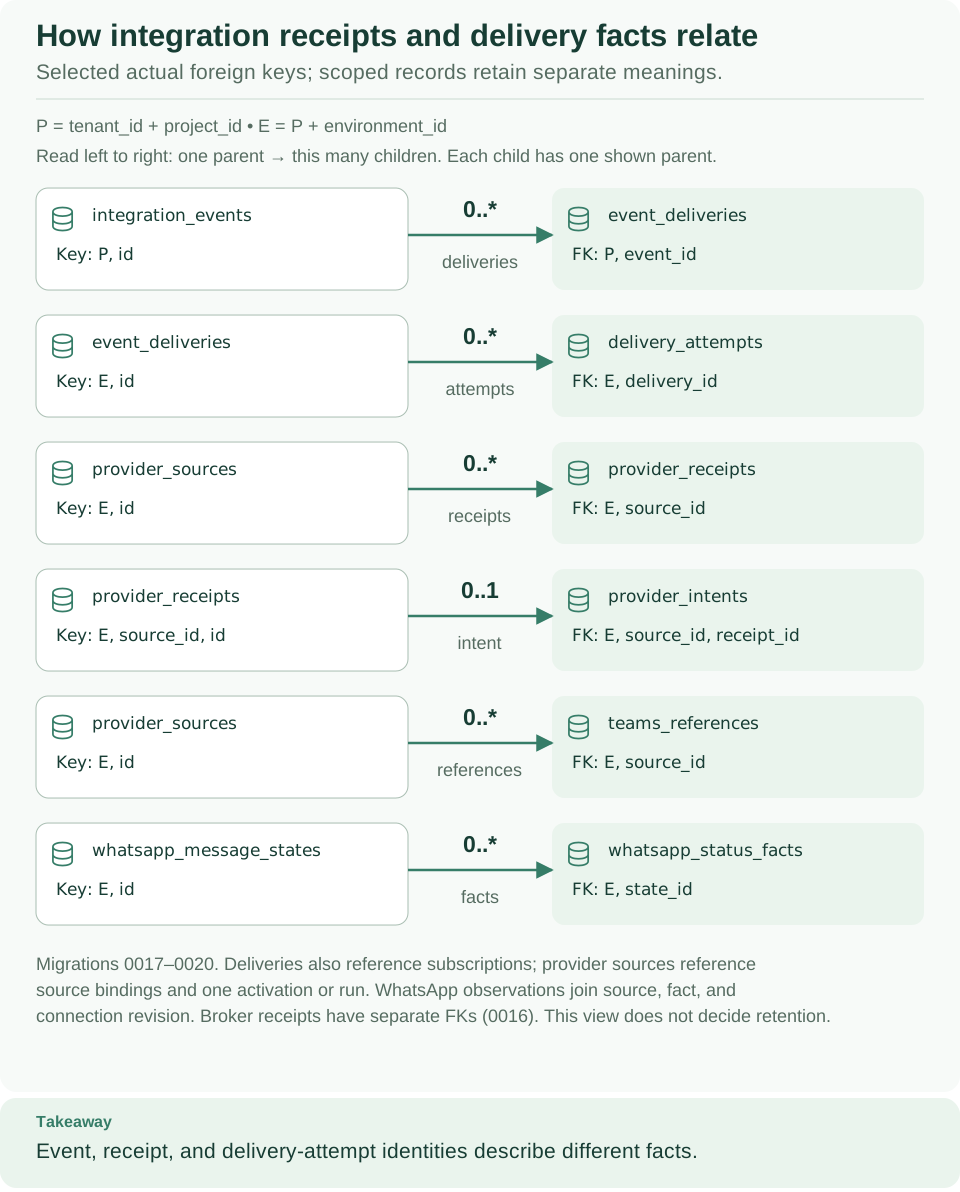
- Database diagrams show selected relationships, not a complete schema or permission to delete referenced records.
Diagram catalog
Every diagram is a hand-written SVG with an accessible text description, kept in the repository. You need no external fonts or services to view or edit one; visual assets explains how to change and check them. The last column lists every page that embeds or links the diagram.
Start here
| Diagram | What it shows | Where it is explained |
|---|---|---|
| Your learning route | Simulate locally, run a platform and sign in, then add an integration or connect your product | Project README |
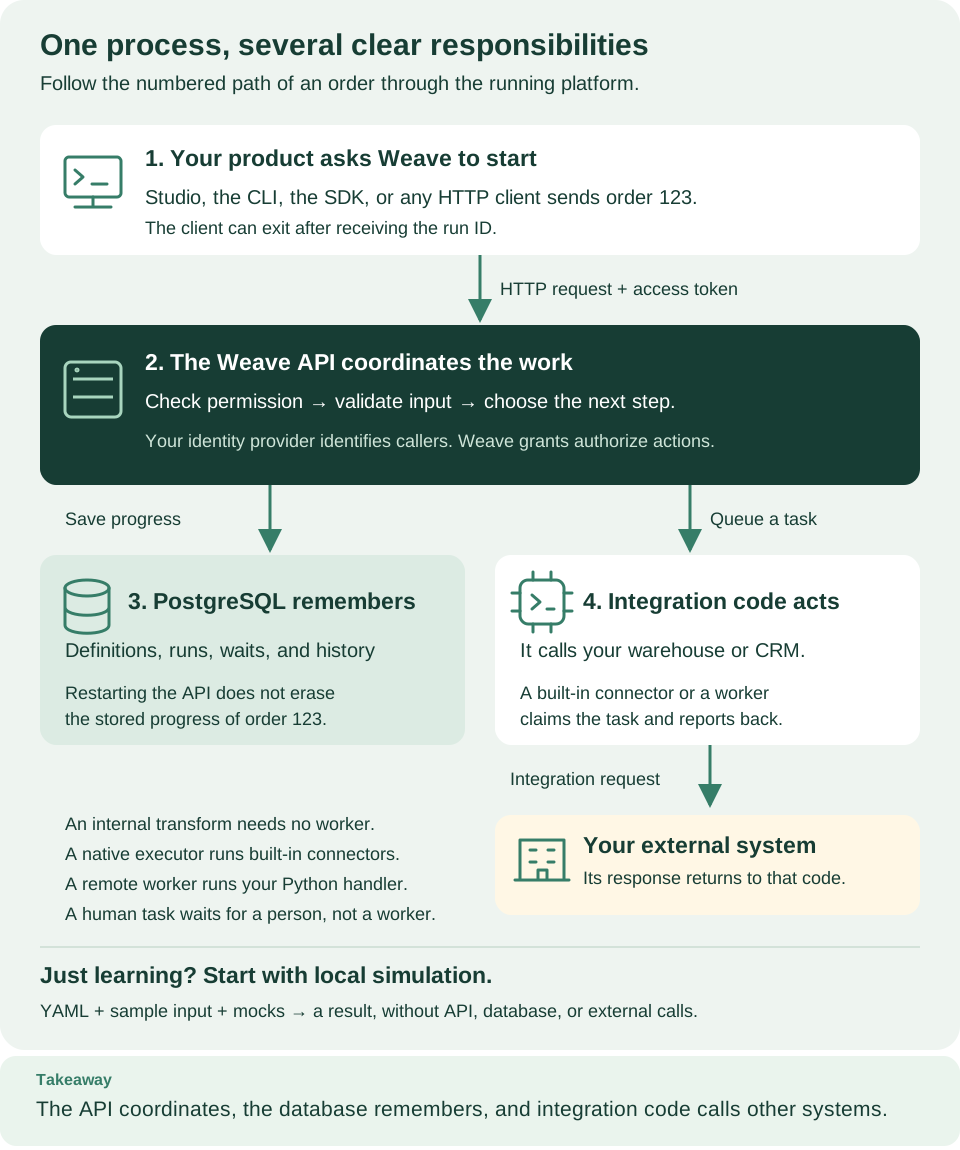
| What runs when you use Weave | Clients, the API, PostgreSQL, and the integration code that calls your systems, plus the local simulation shortcut | Documentation home, Architecture: follow one run through Weave, Start here: choose your path, Who does what, from a business process to a completed run |
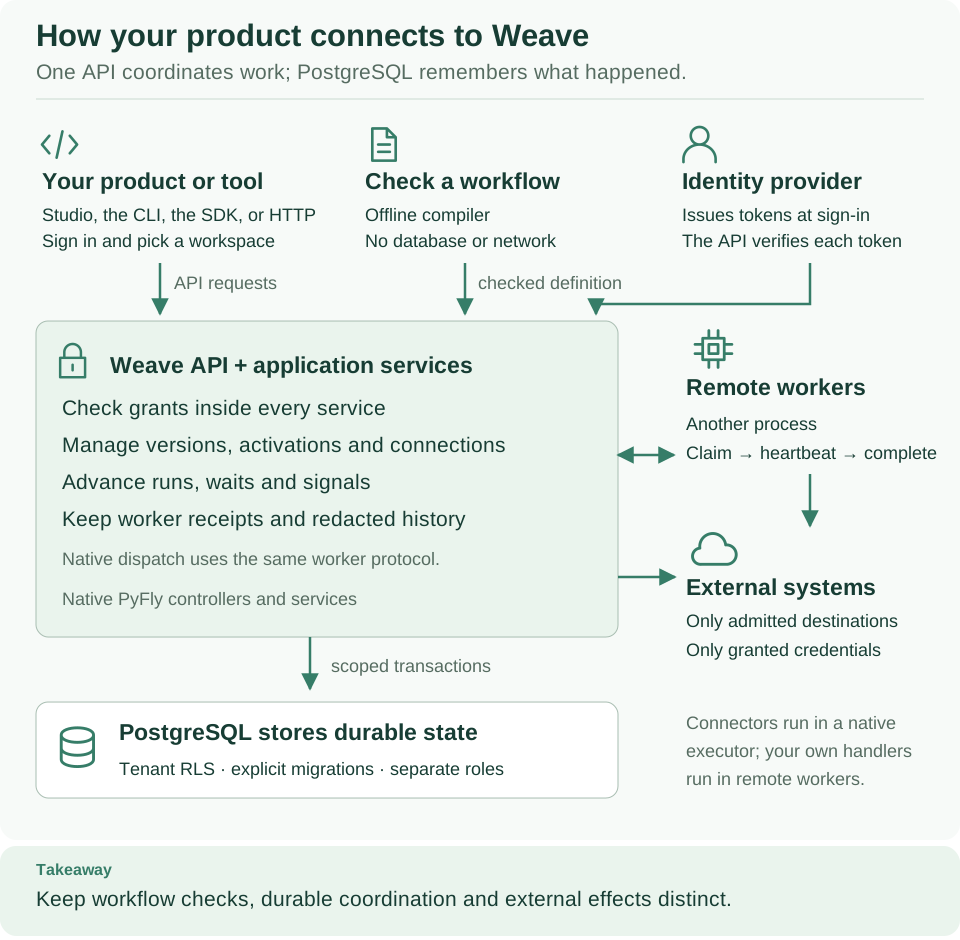
| How your product connects to Weave | Your product, the offline compiler, and the identity provider feed the API, which uses PostgreSQL, connectors, and workers | Project README, Architecture: follow one run through Weave, Use the Weave logo, Lumi, and diagrams |
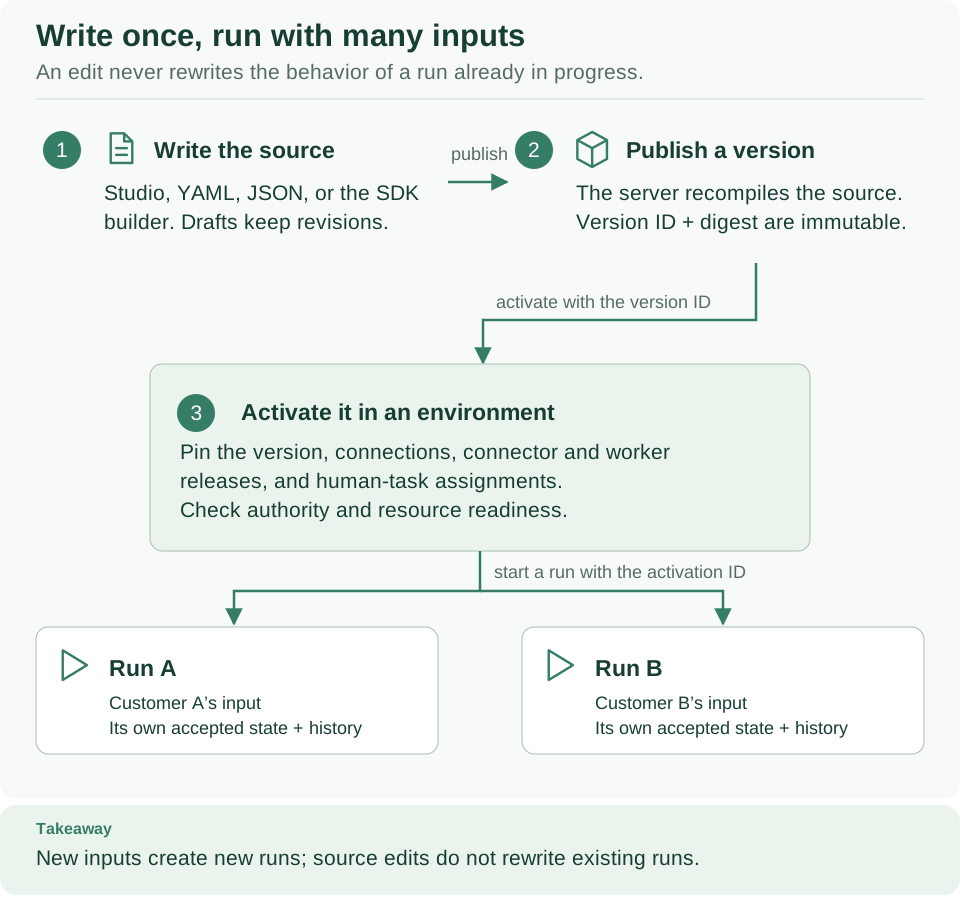
| Write once, run with many inputs | Source, published version, activation in an environment, and the separate runs it starts | Understand Weave through one example, Publish, activate, and run a workflow from the CLI, Who does what, from a business process to a completed run |
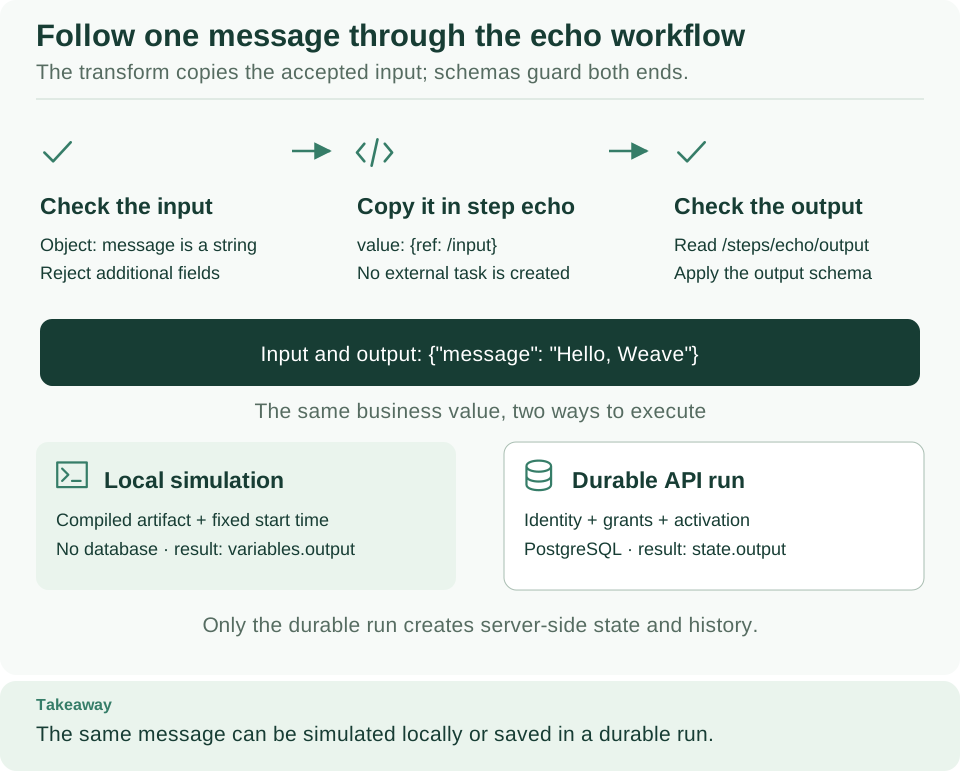
| Follow the message through echo | The first workflow: input schema, transform, and output schema, simulated locally or run on a platform | Write and simulate your first workflow |
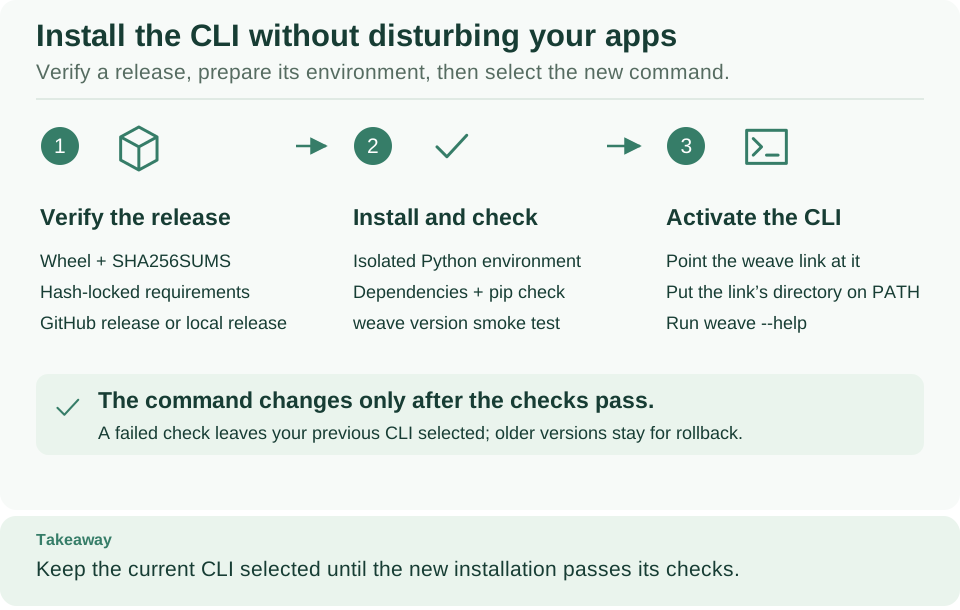
| Install the CLI without disturbing your apps | Verify the release, install it into an isolated environment, and put only weave on your PATH |
Install the Weave CLI |
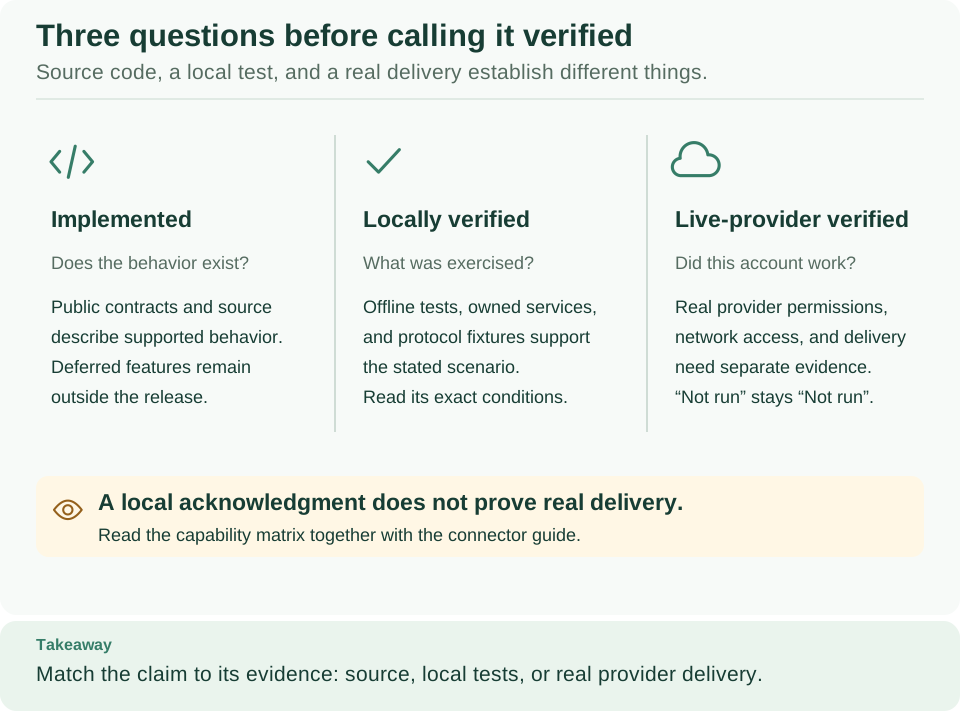
| Read evidence without overclaiming | Implemented, checked locally, and verified with a live provider are separate questions | Capabilities and verification |
Connect, sign in, and give access
| Diagram | What it shows | Where it is explained |
|---|---|---|
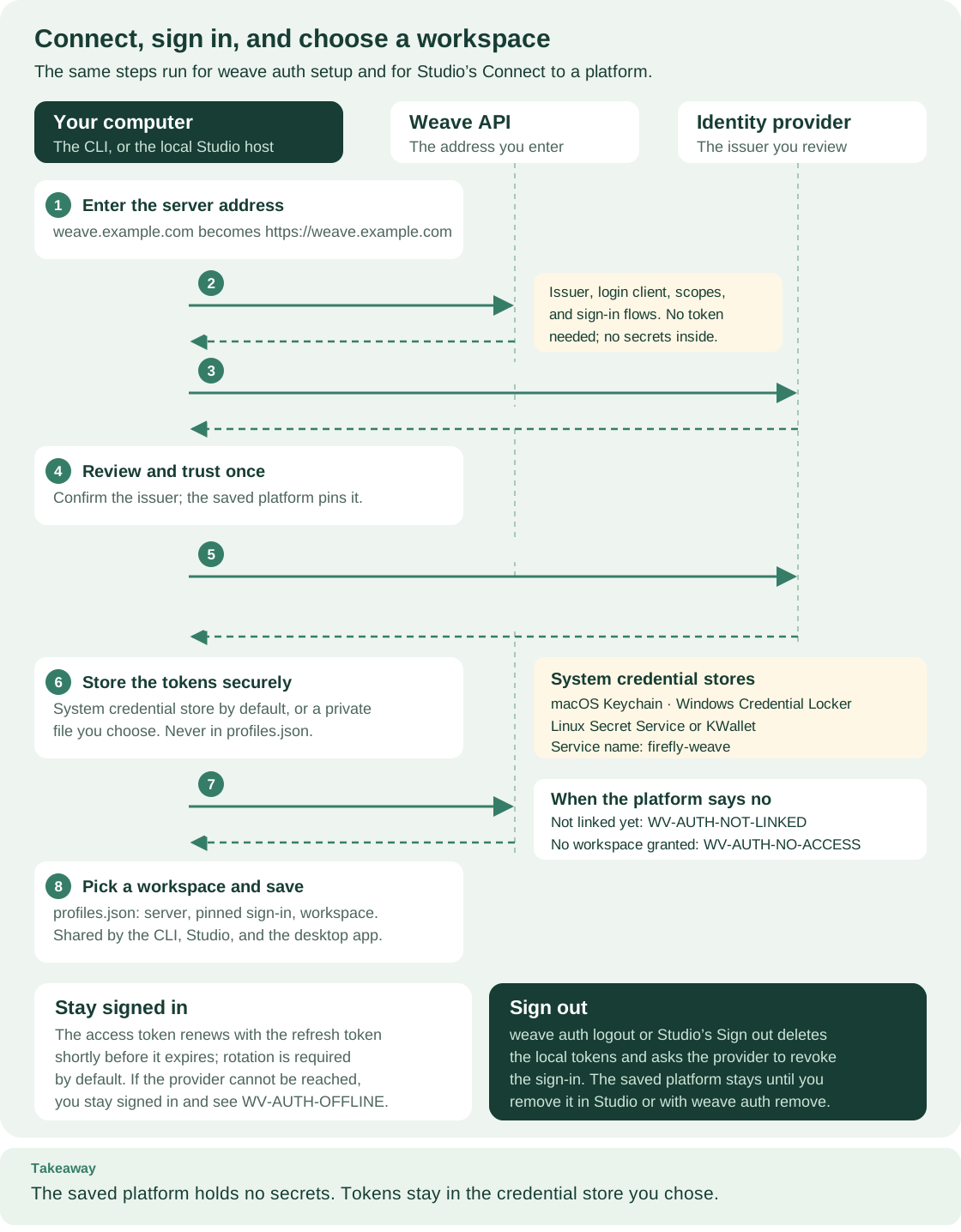
| Connect, sign in, and choose a workspace | Server address, public sign-in settings, discovery, review, sign-in, credential store, and saved platform, the same for the CLI and Studio | Architecture: follow one run through Weave, Connect the CLI to a platform, Install and use the Studio desktop app, Design and run workflows in Studio |
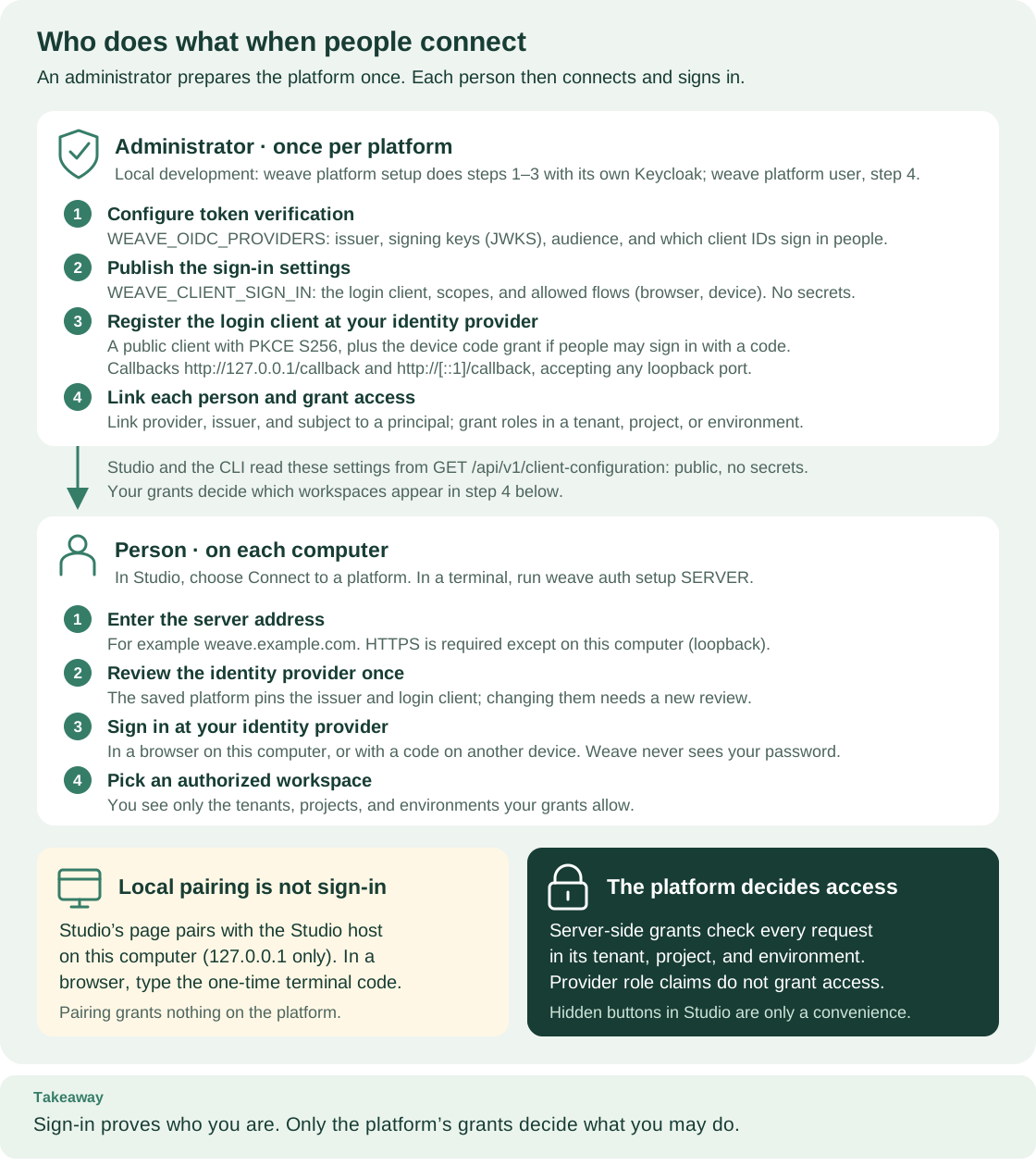
| Who does what when people connect | What an administrator prepares once, what each person does on their computer, and why pairing is not a sign-in | Connect the CLI to a platform, Give people the right access, Design and run workflows in Studio, Set up identity, sign-in, and secrets |
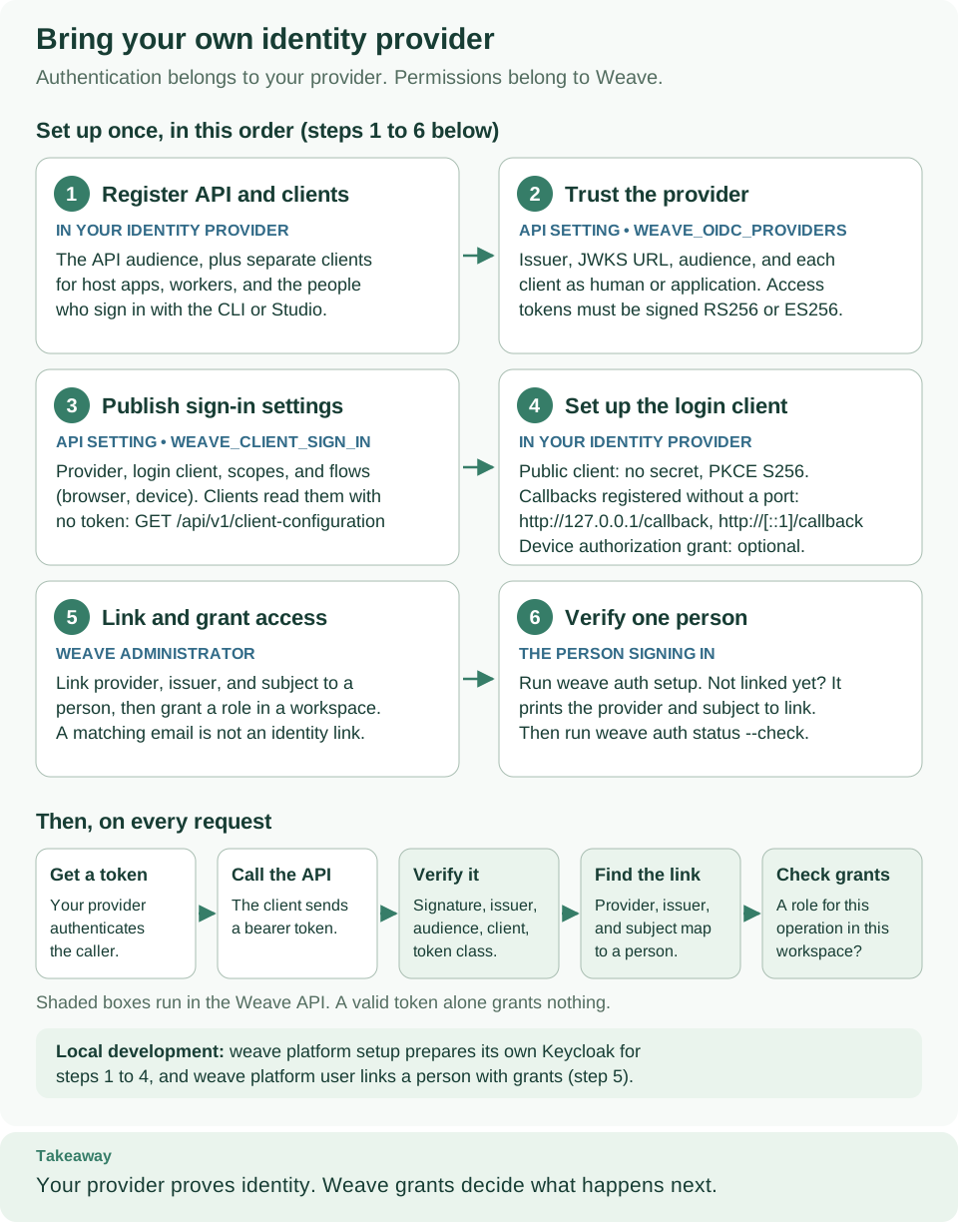
| Bring your own identity provider | The six one-time identity setup steps, and the checks Weave makes on every request | Set up identity, sign-in, and secrets |
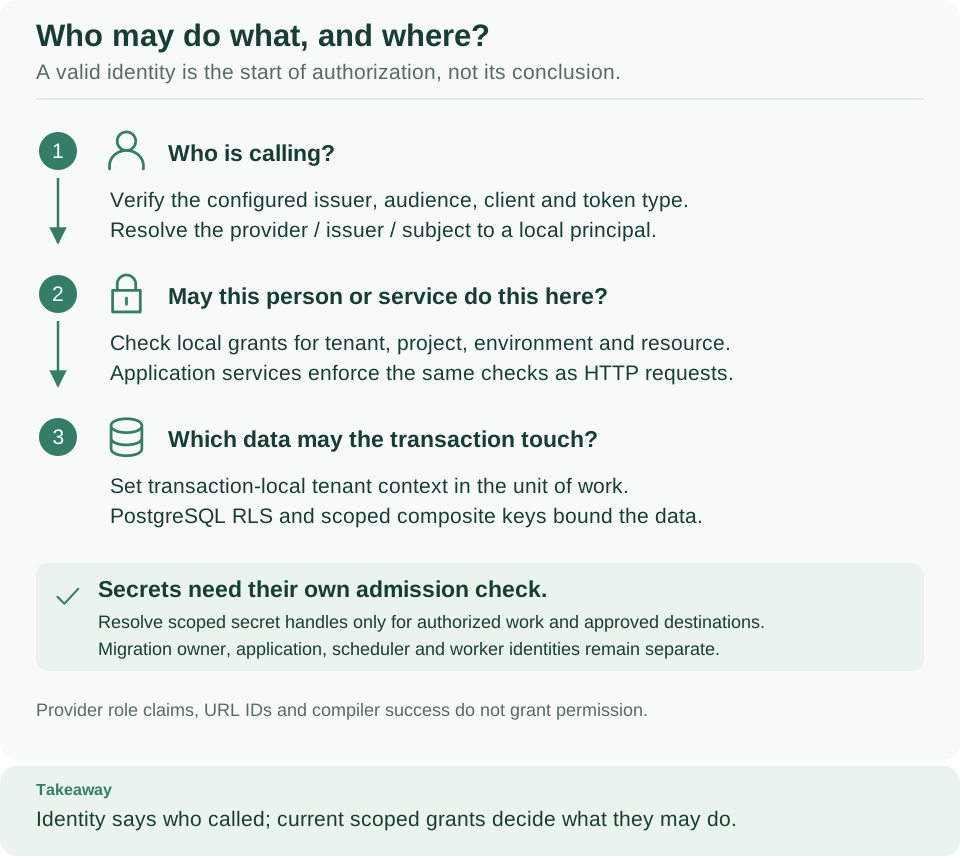
| Who may do what, and where | Who is calling, whether their grant allows this in this workspace, and which data the transaction may touch; secrets resolve only for authorized work | Security policy, Architecture: follow one run through Weave, Set up identity, sign-in, and secrets |
Design workflows in Studio
| Diagram | What it shows | Where it is explained |
|---|---|---|
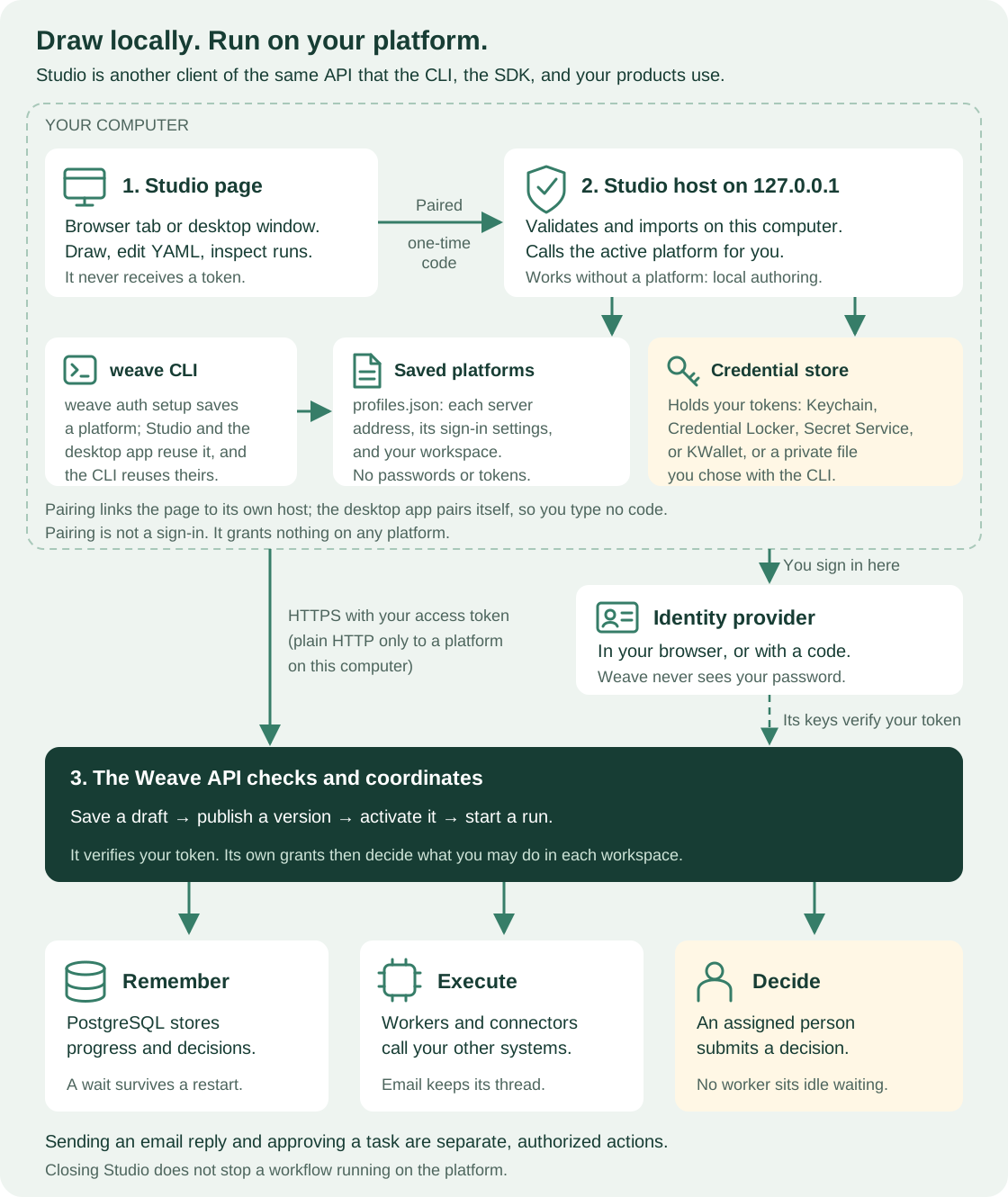
| Studio edits; the platform runs | The Studio page, its paired local host, and the platform API that stores and runs workflows | Architecture: follow one run through Weave, Design and run workflows in Studio |
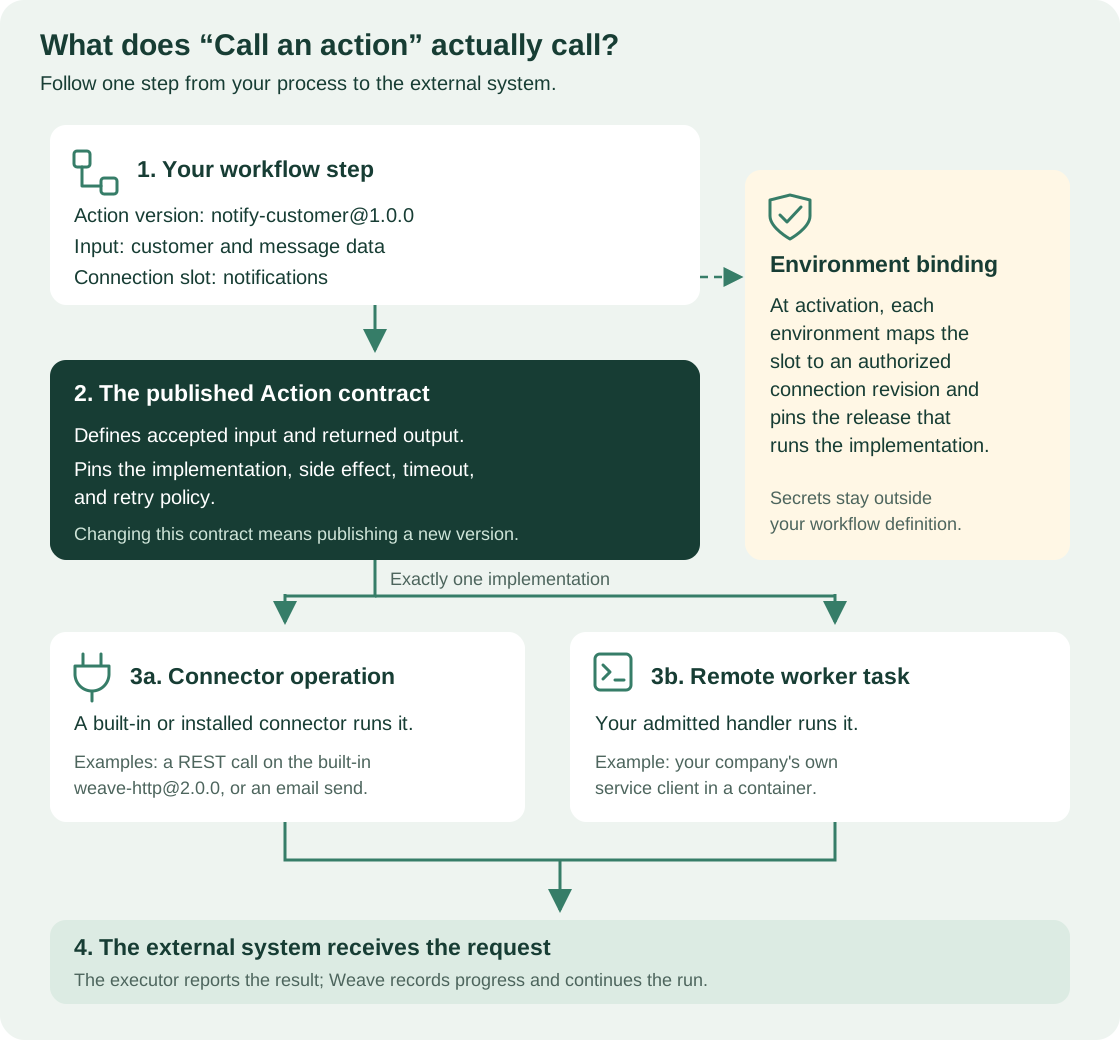
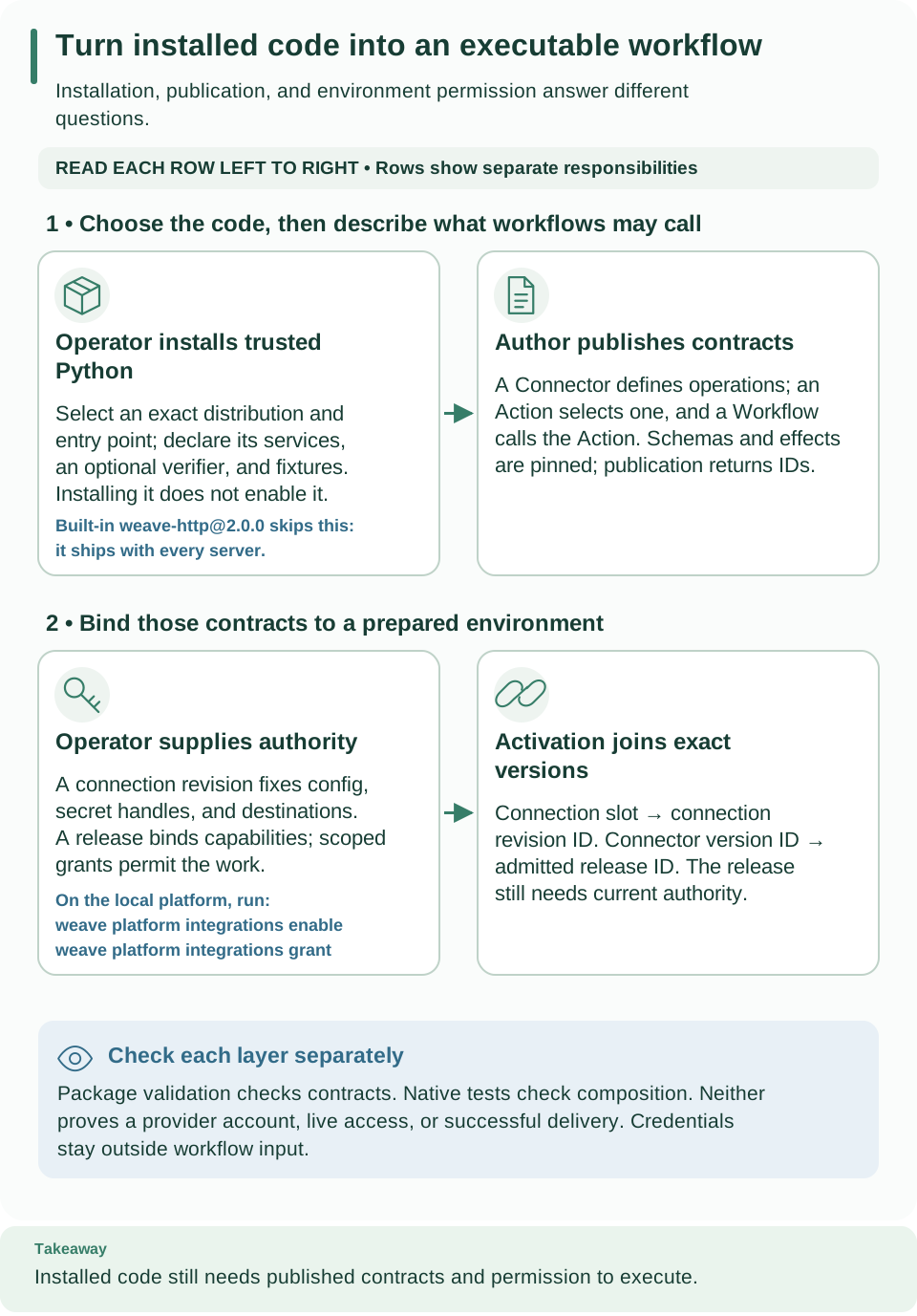
| What Call an action calls | A step selects an Action version and a connection slot; the Action pins the connector or worker that runs it | Choose and configure a workflow step |
Author, check, and simulate
| Diagram | What it shows | Where it is explained |
|---|---|---|
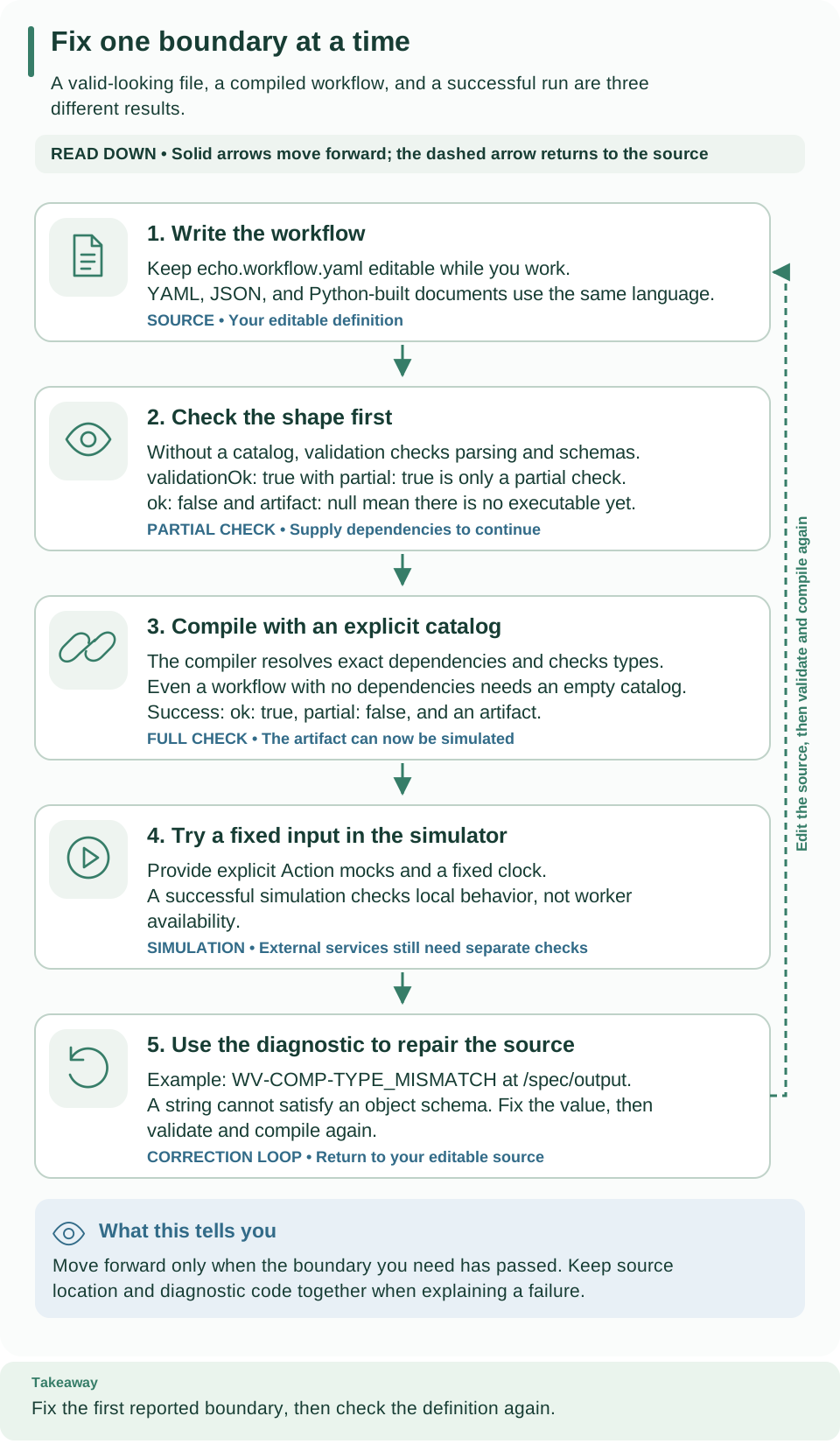
| Fix one boundary at a time | Validate, compile with a catalog, read the diagnostic's code and path, fix, and check again | Author, check, and simulate a workflow, CLI reference, Compile workflows and read the results |
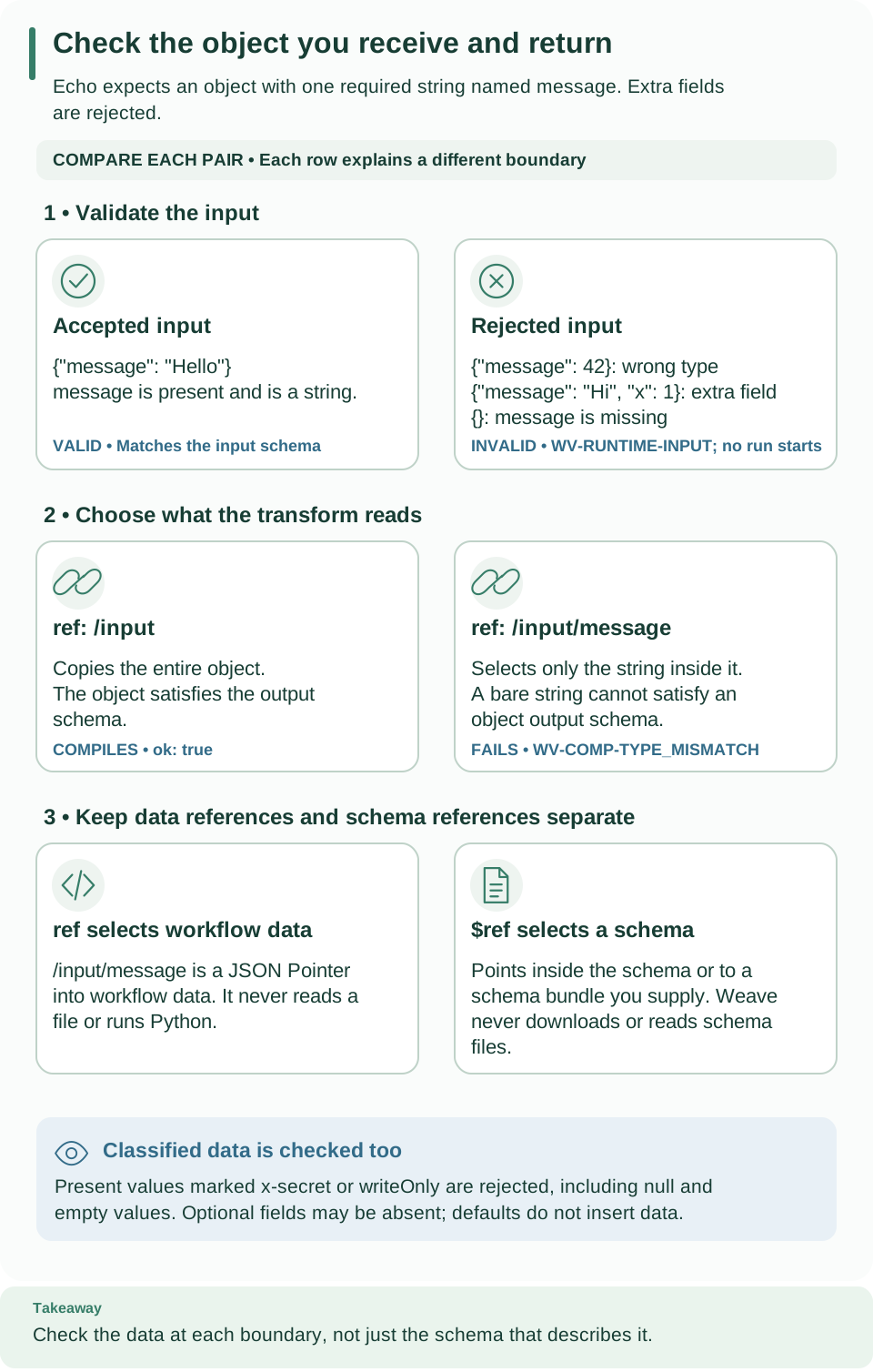
| Check the object you receive and return | Which values the input and output schemas accept or reject, using the echo workflow | Read and write definition contracts, Write schemas that Weave accepts |
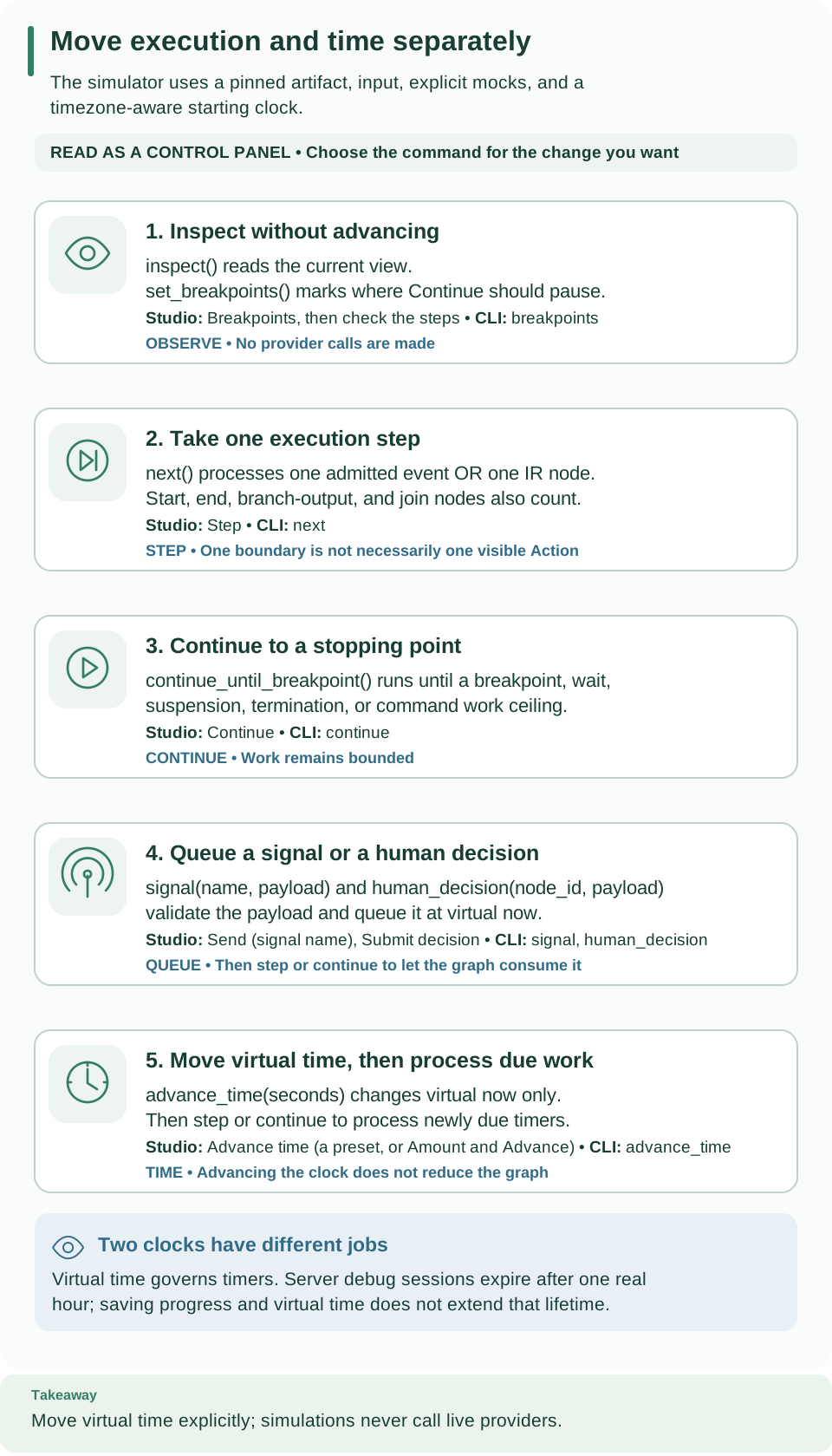
| Move execution and time separately | The simulator's commands: inspect, step, continue, deliver a signal or decision, and advance virtual time | Simulate a workflow run without side effects |
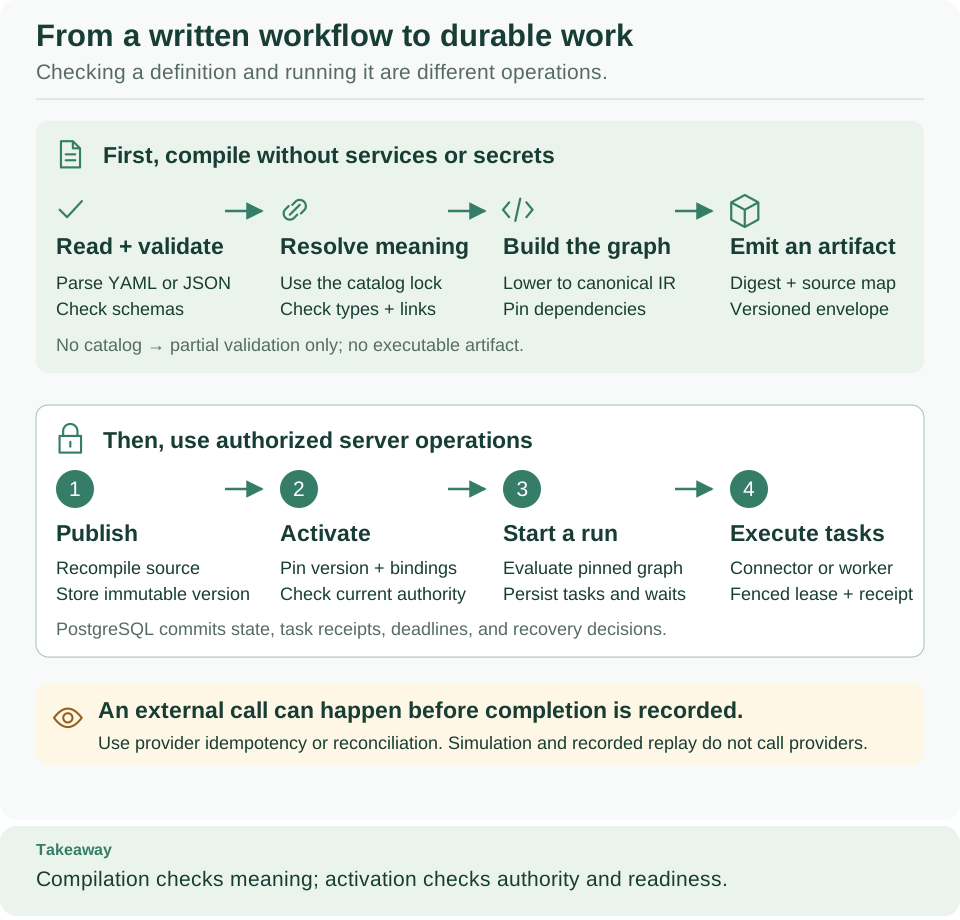
| From a written workflow to durable work | Compile without services or secrets, then publish, activate, and execute on the platform | Architecture: follow one run through Weave |
Call APIs and other systems
Embed Weave and run workers
| Diagram | What it shows | Where it is explained |
|---|---|---|
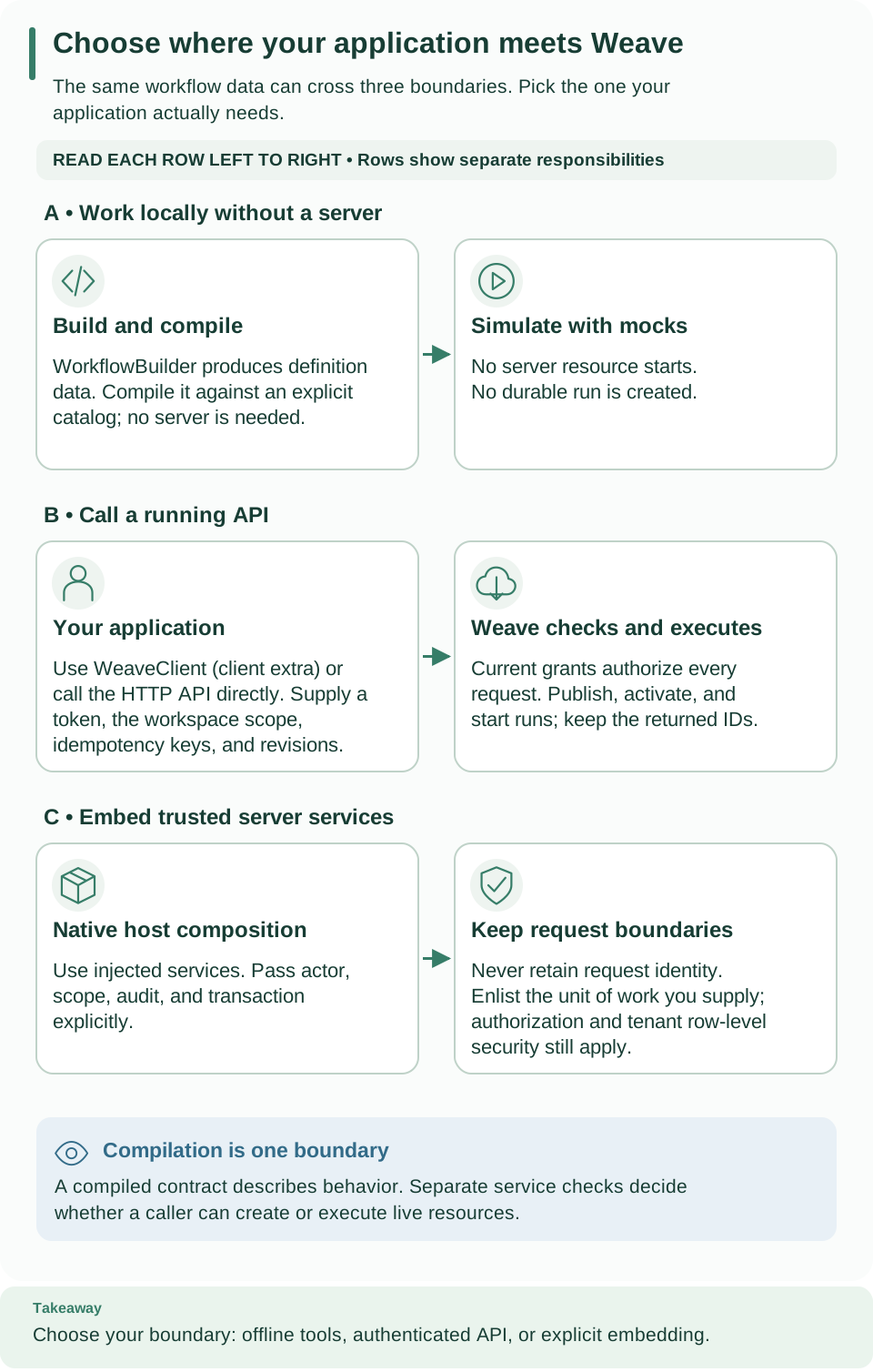
| Choose where your application meets Weave | Build and simulate locally, call a running API, or embed trusted server services, and what each one starts | Integrate Weave into a host product, Embed authoring and orchestration in your product |
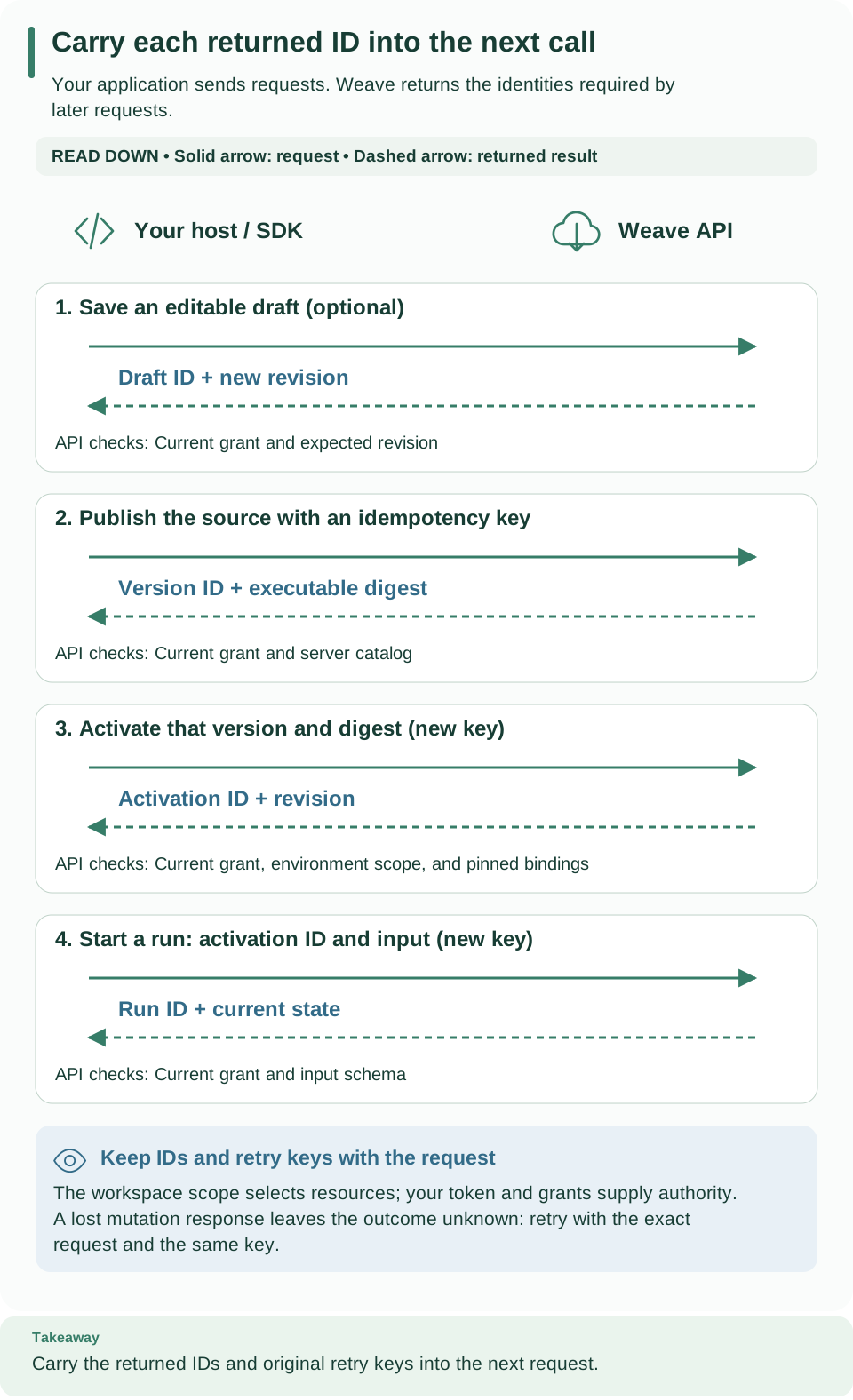
| Carry each returned ID into the next call | The calls a host product makes, from draft to publish, activate, start, and read, and the IDs each returns | Integrate Weave into a host product, Use the HTTP API, CLI reference, Python SDK |
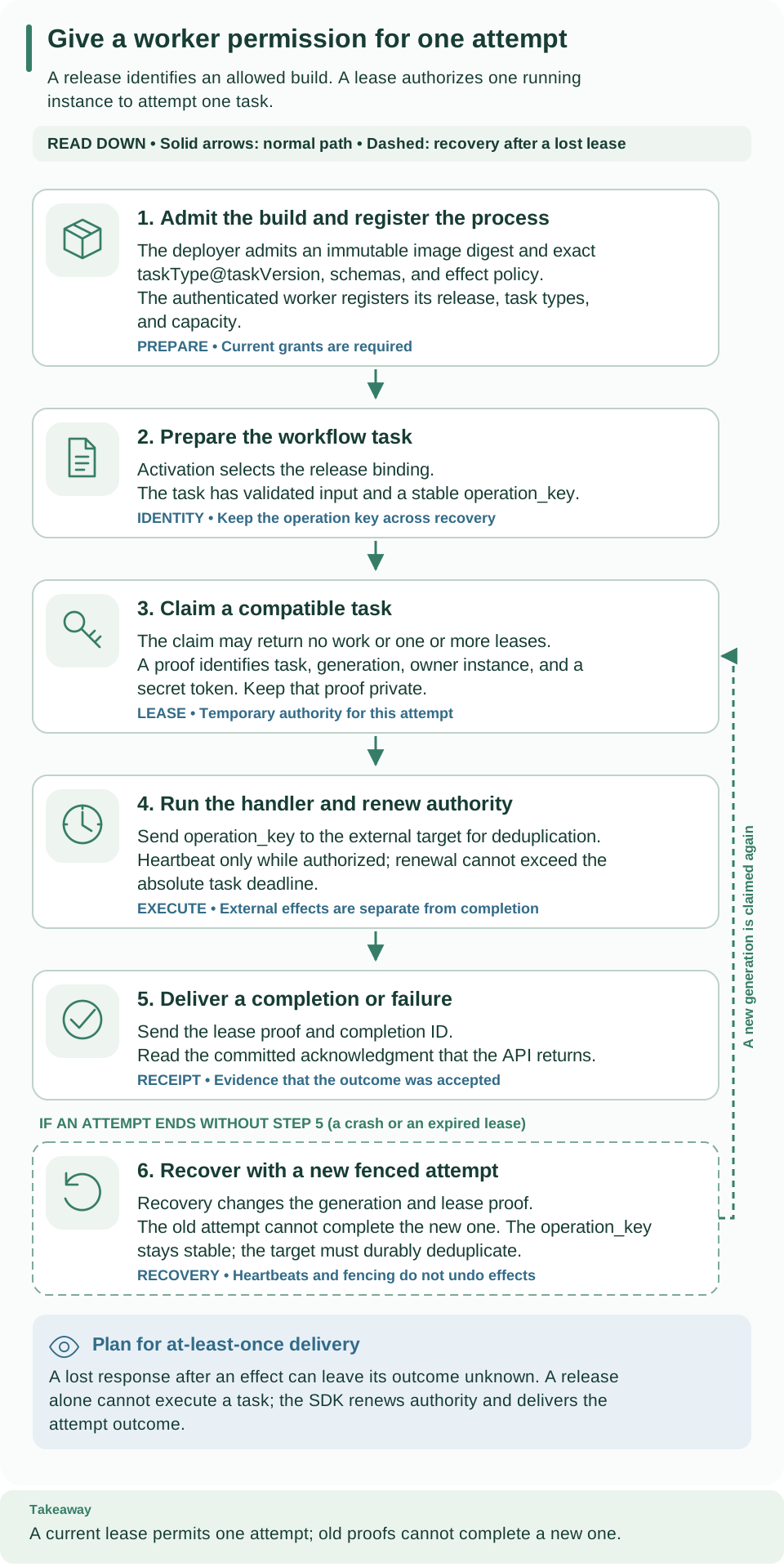
| Give a worker permission for one attempt | Admit a release, register the worker, claim a task with a lease, and complete it | Implement and operate a worker, Remote worker protocol |
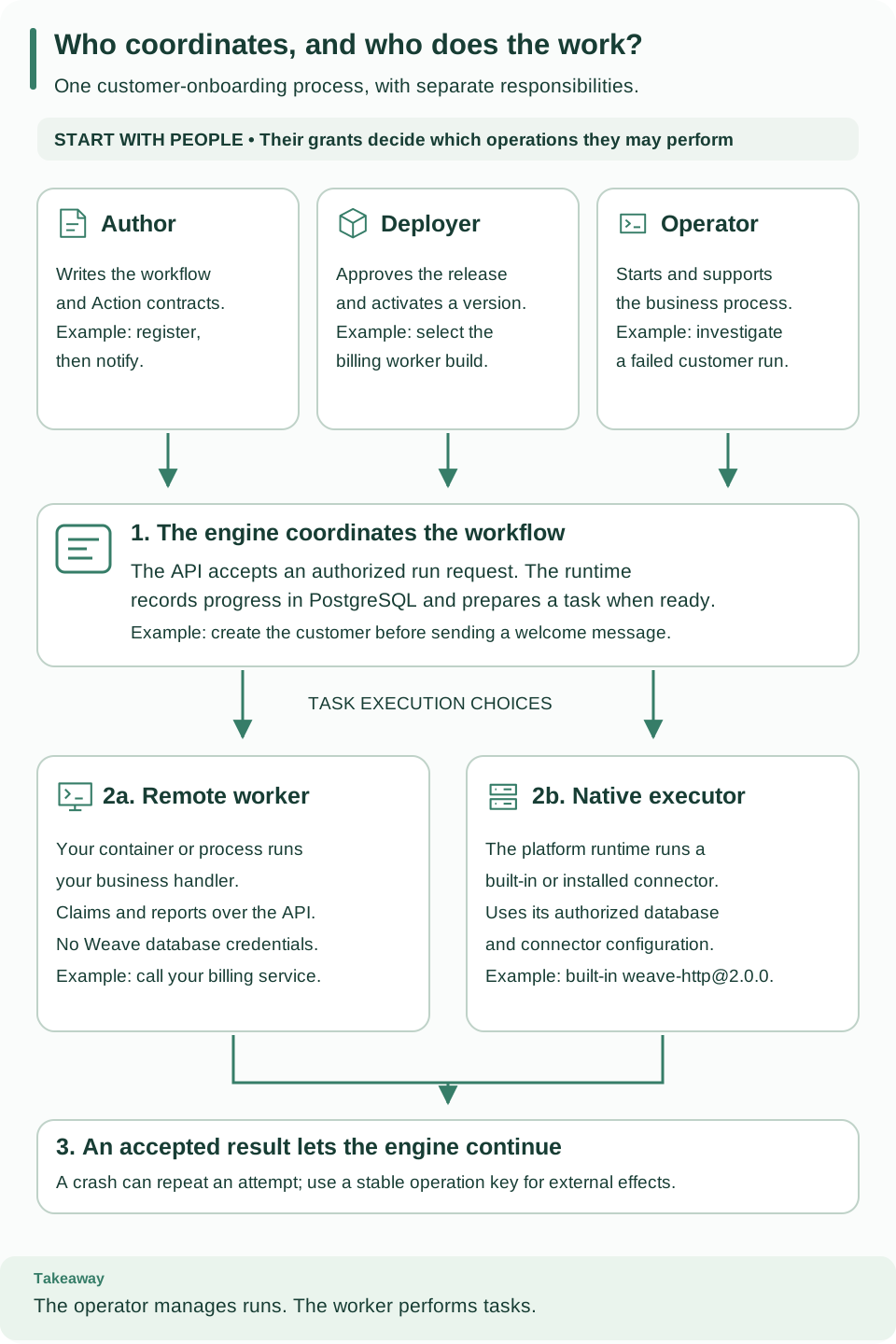
| People and execution processes | Authors, deployers, and operators decide; the engine records progress; workers and native executors do the work | Implement and operate a worker |
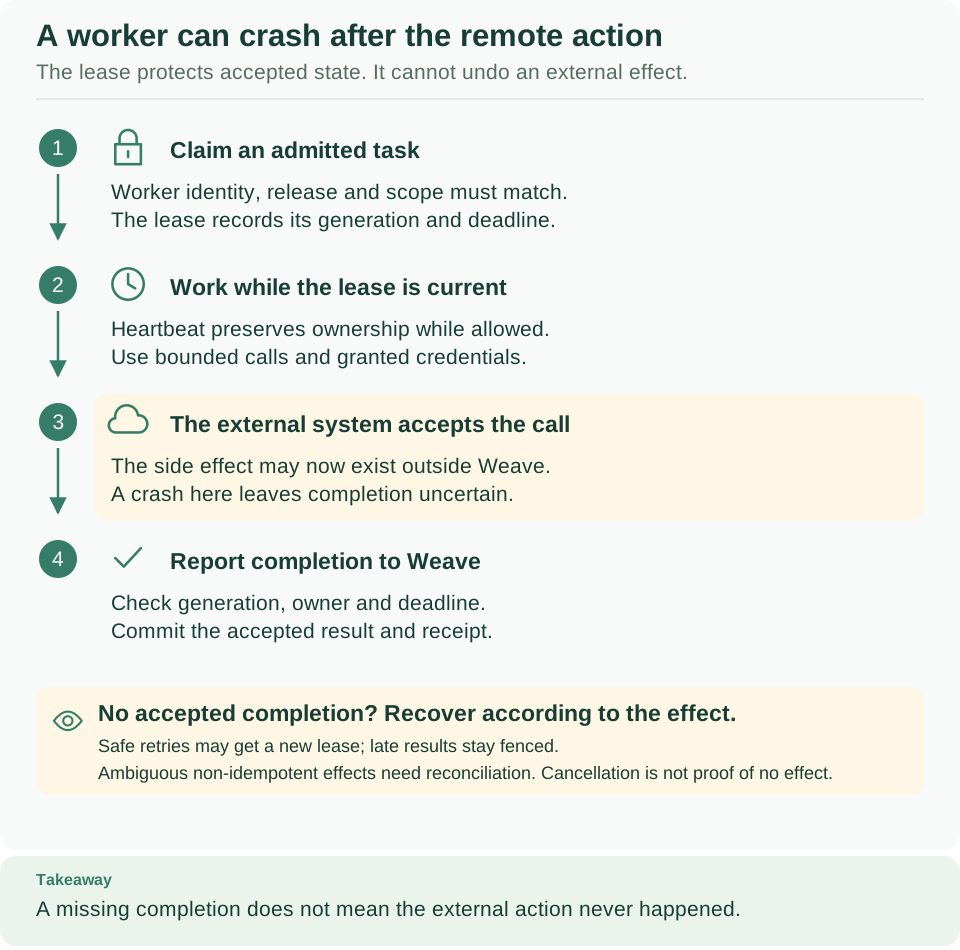
| A worker can crash after the remote action | Claim, lease, completion, and what happens when a worker stops after the external system already acted | Architecture: follow one run through Weave, Implement and operate a worker |
Operate runs and the platform
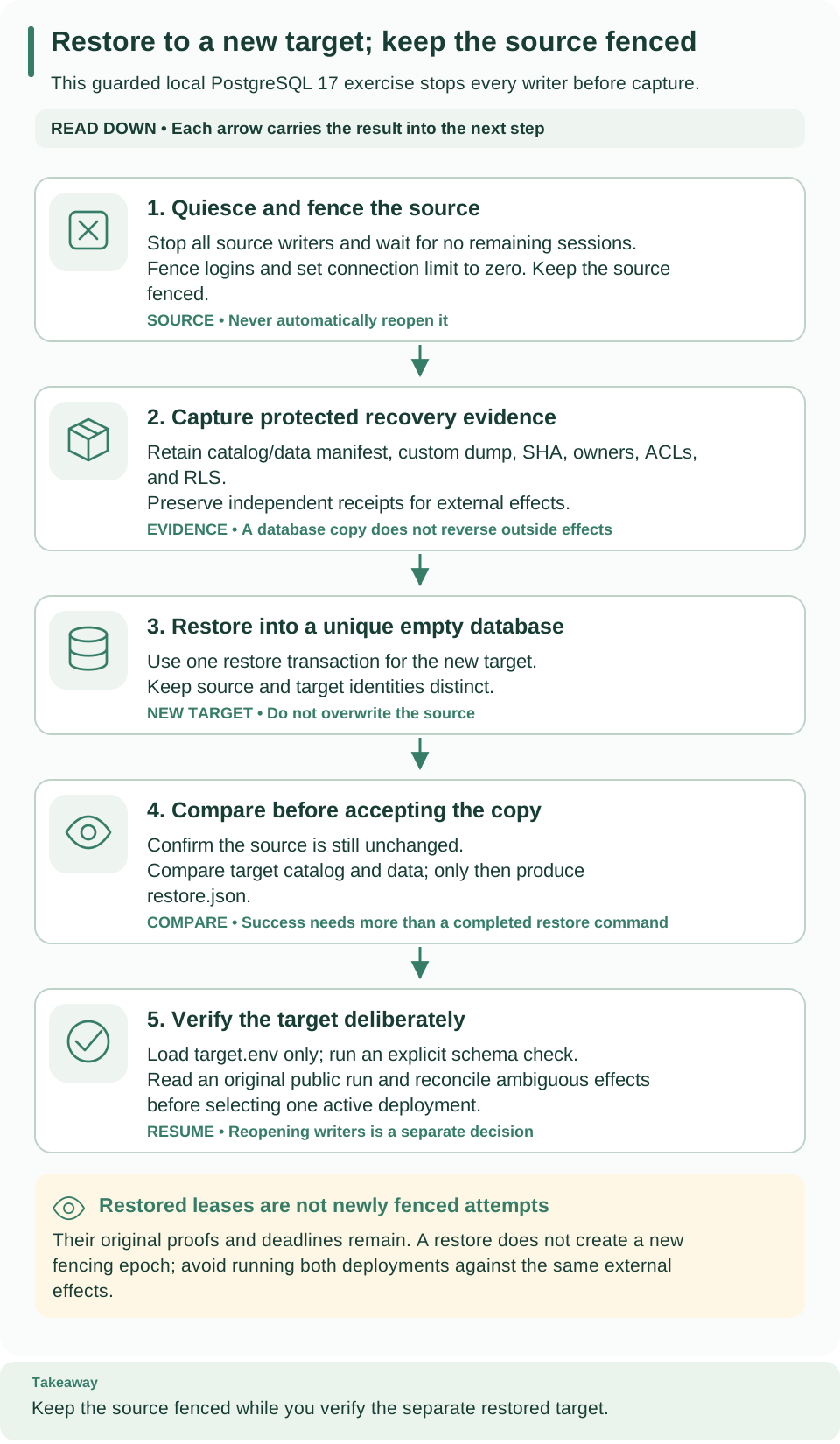
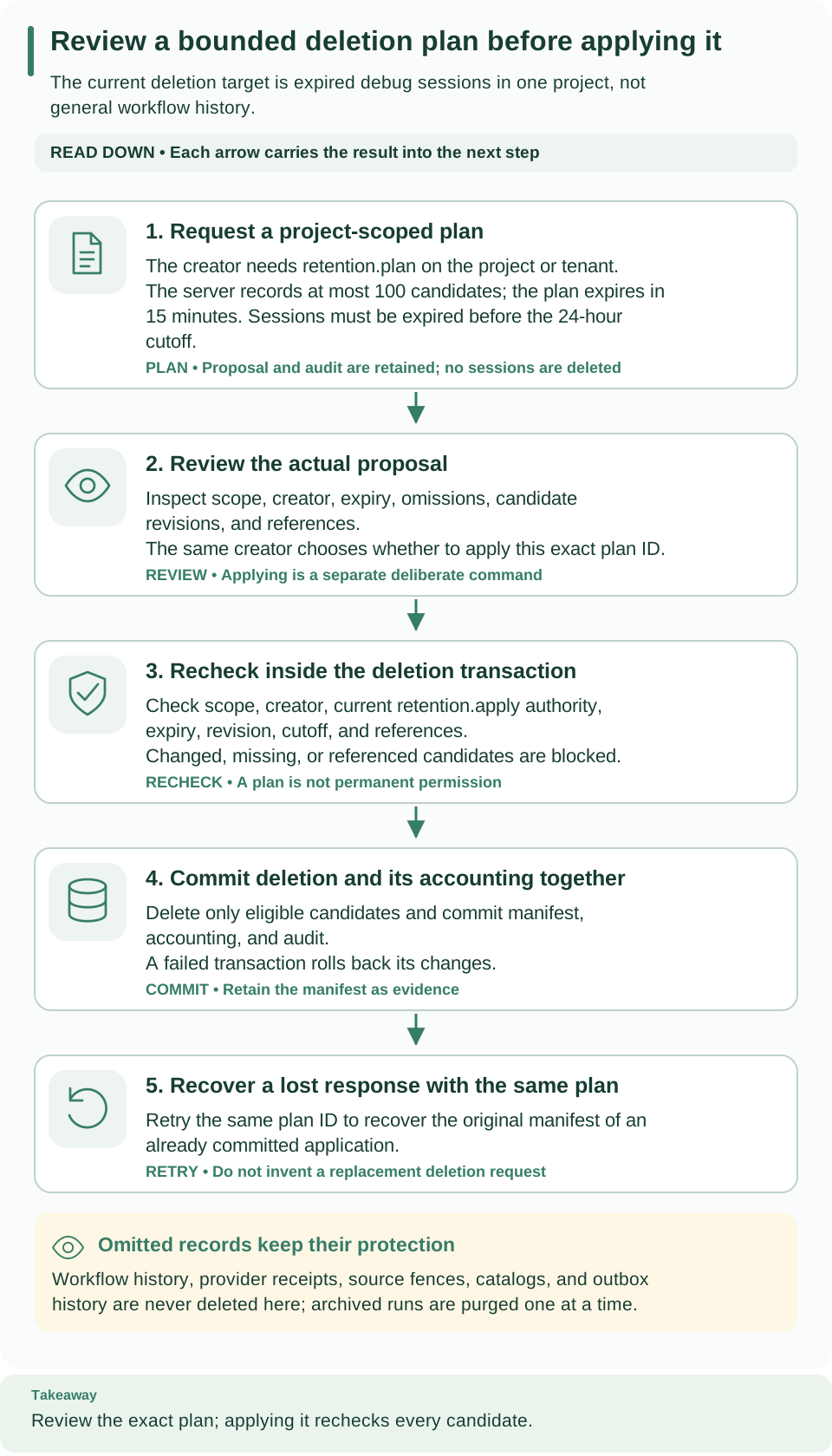
Database relationships and contributing
| Diagram | What it shows | Where it is explained |
|---|---|---|
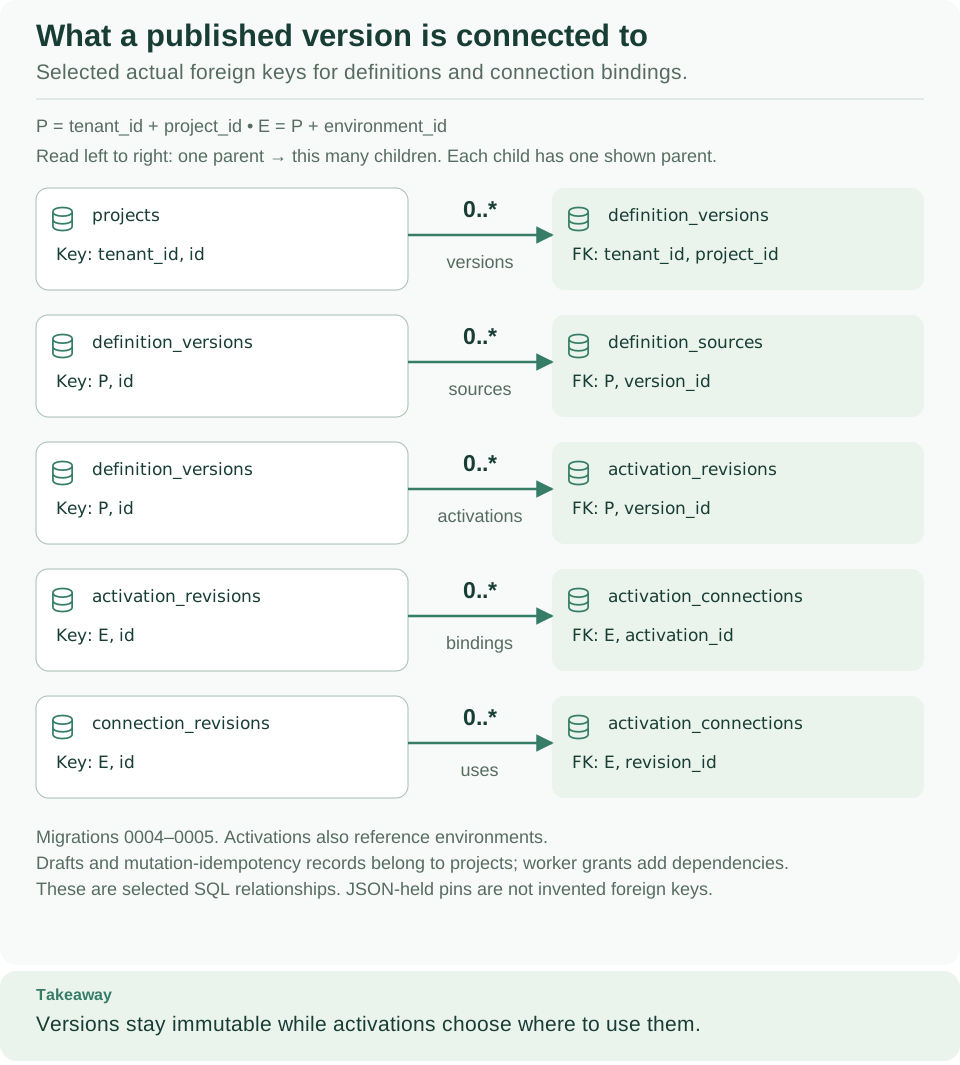
| Definition relationships | Database relationships of published versions, activations, and connection bindings | Architecture: follow one run through Weave |
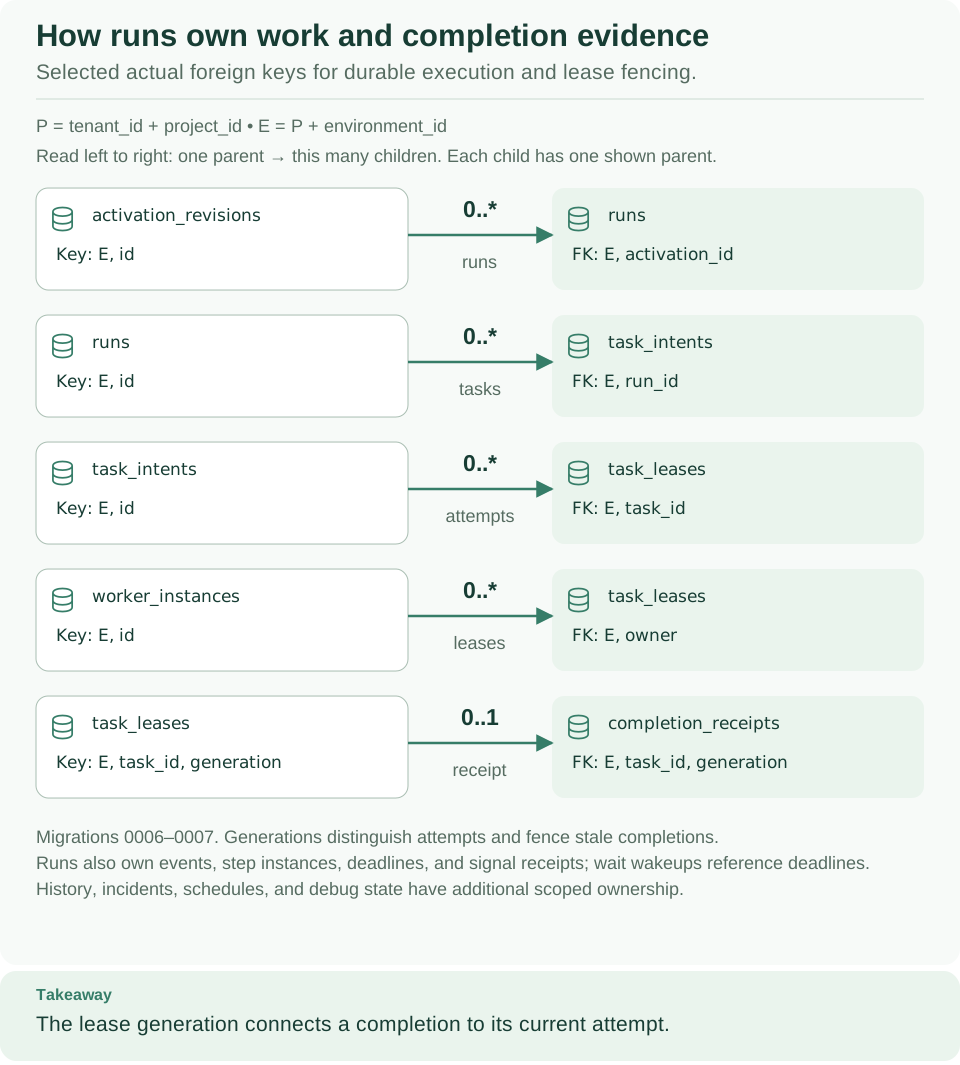
| Runtime relationships | Database relationships of runs, task intents, leases, and completion evidence | Architecture: follow one run through Weave |
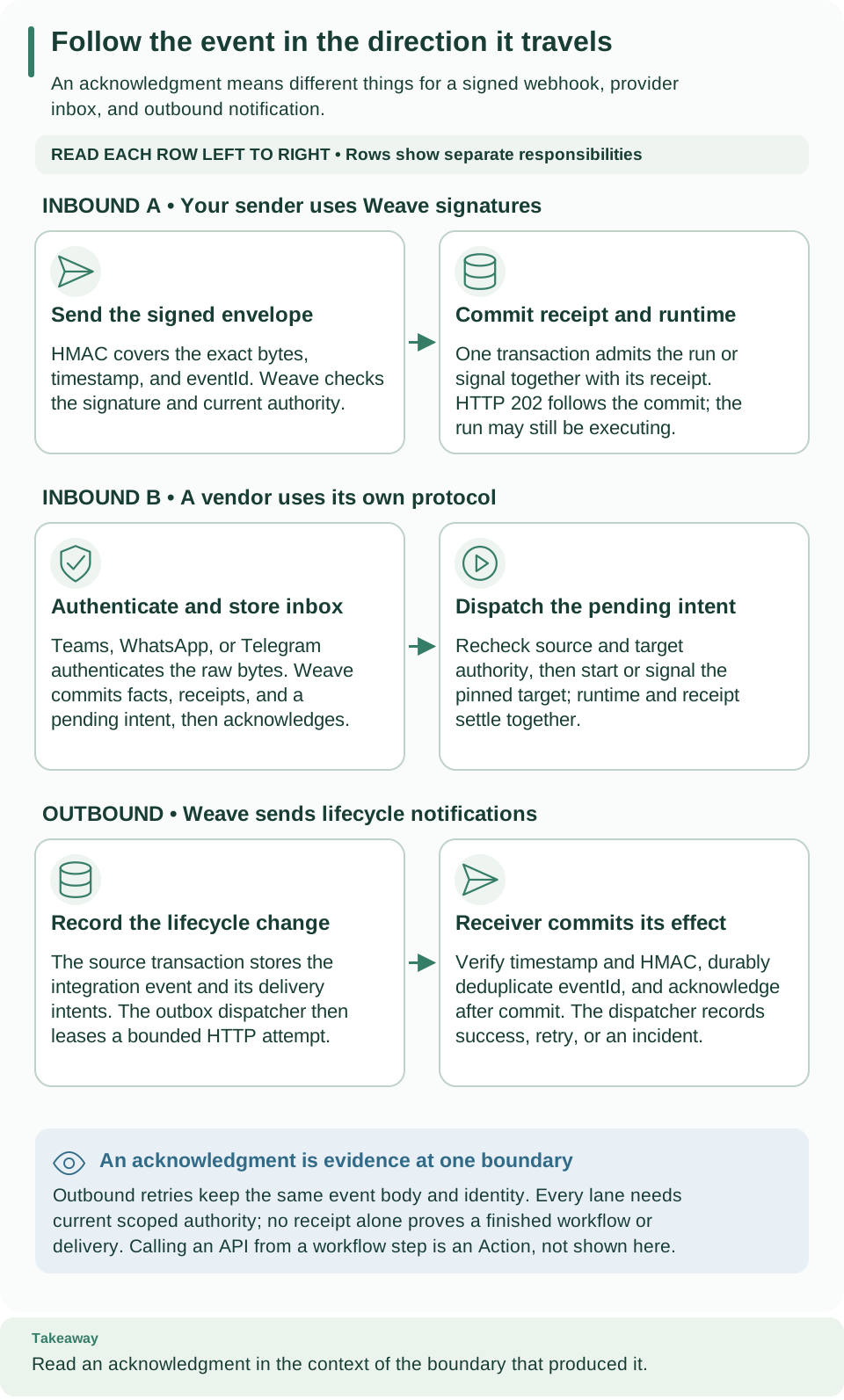
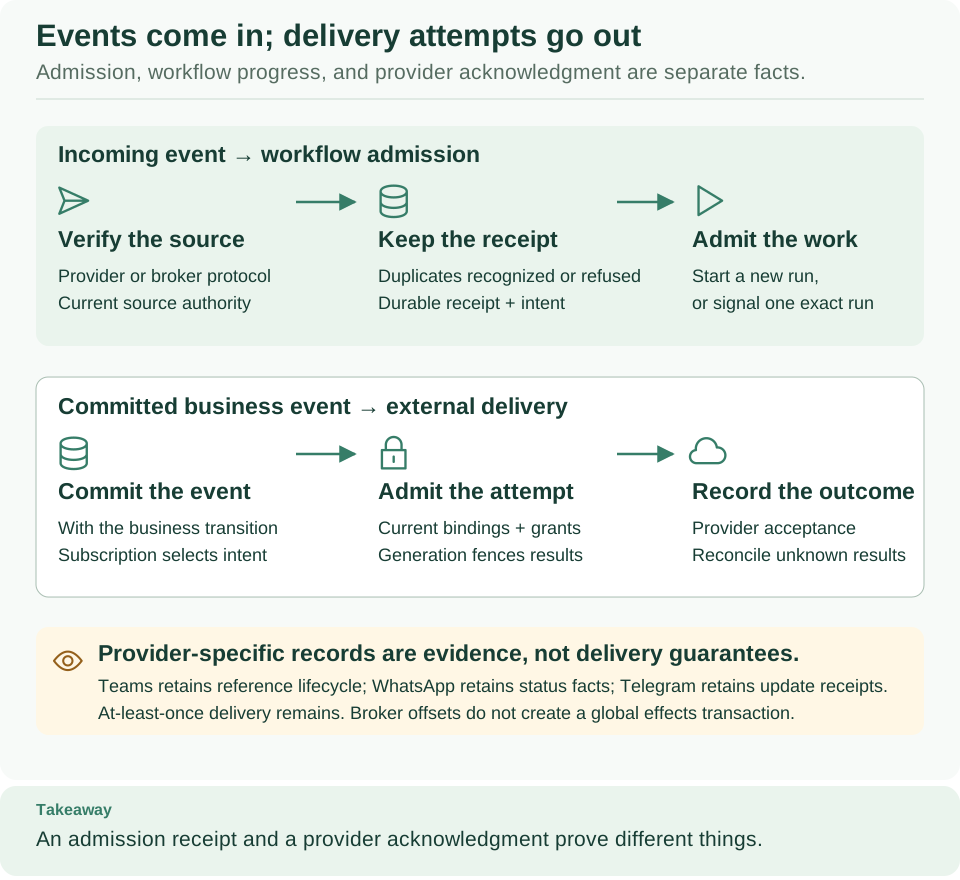
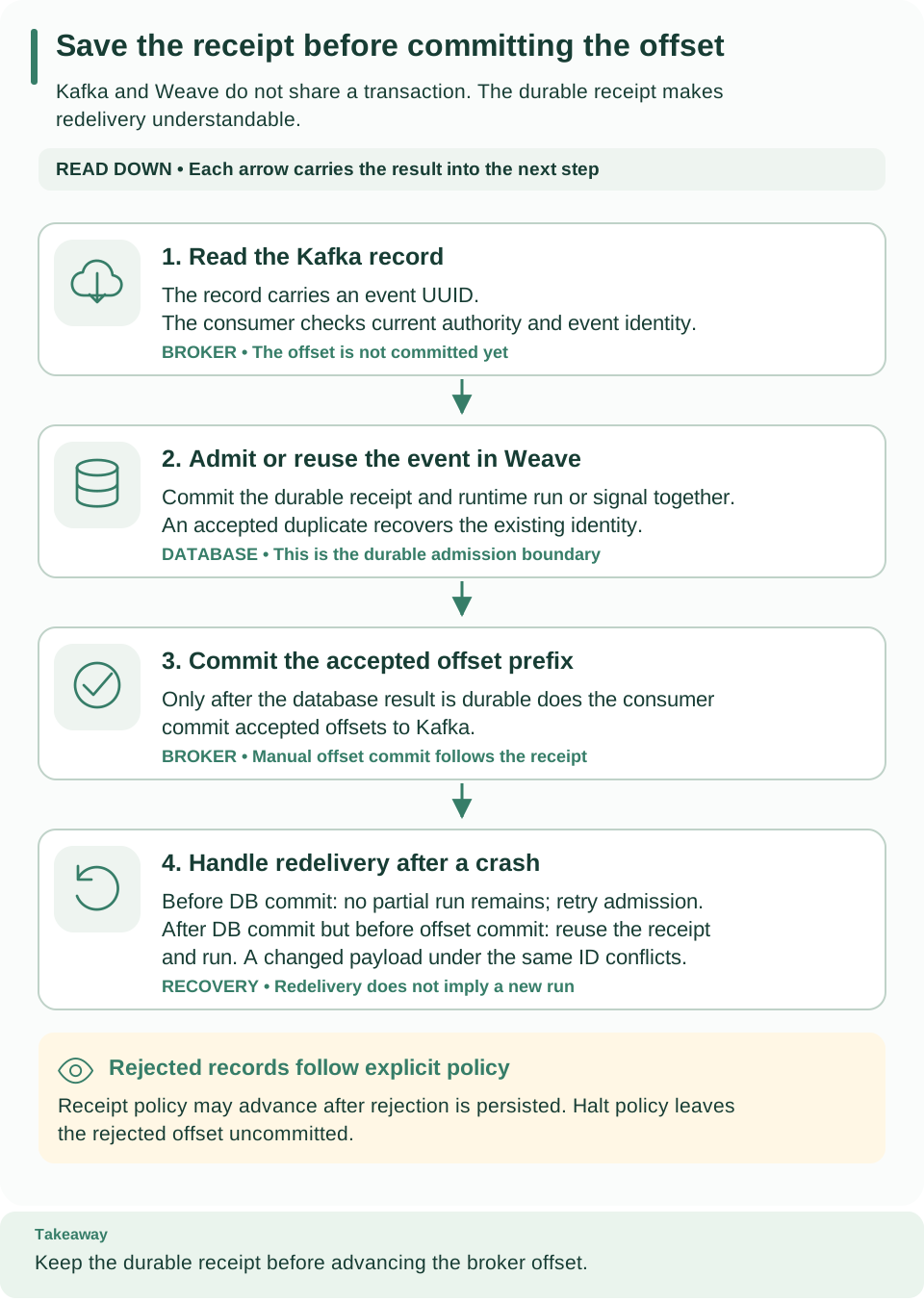
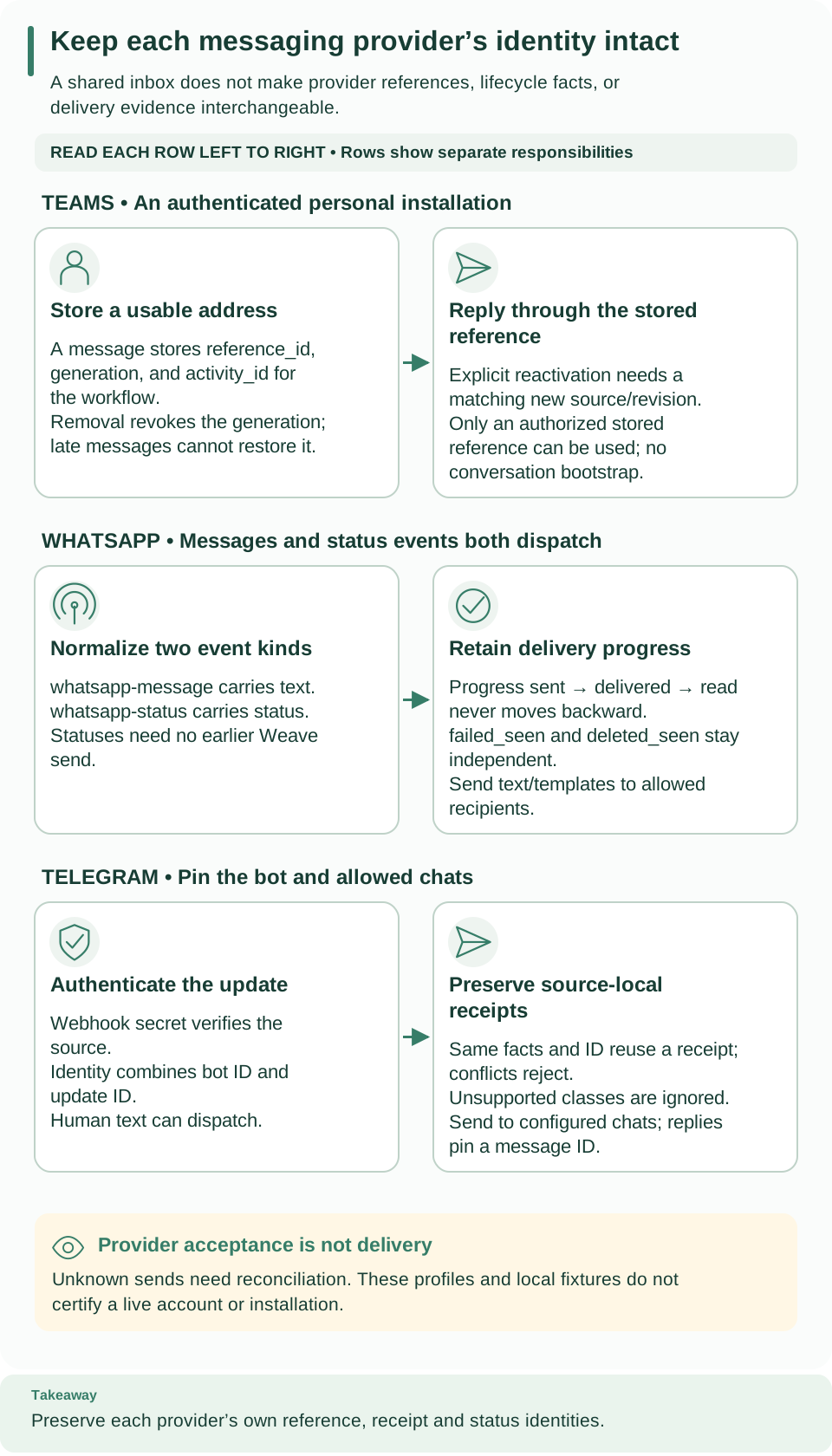
| Integration relationships | Database relationships of integration events, provider receipts, and delivery facts | Architecture: follow one run through Weave |
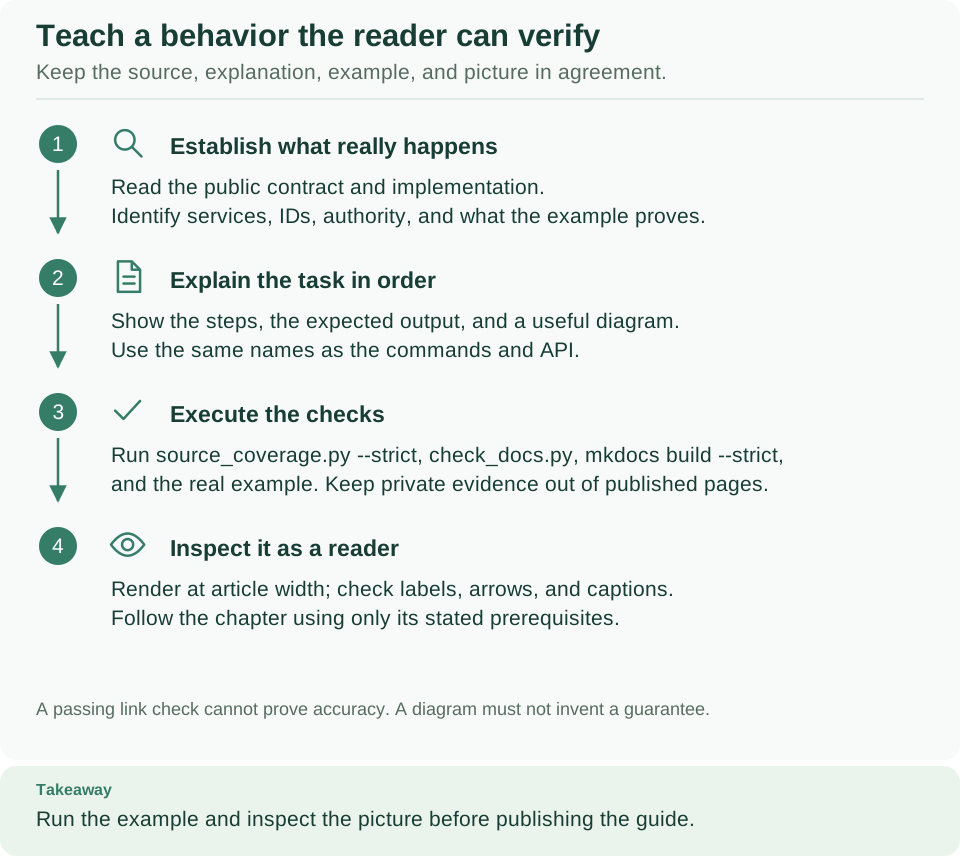
| Document a behavior readers can verify | How contributors establish, explain, and check what a page claims | Contributing, Document and attribute every source file |
Examples, operations, and project documentation
The documentation home links all guide and reference families. Also read the WhatsApp fixture walkthrough, trusted connector fixture, and Kubernetes template inventory when you use those files. They separate offline fixture evidence from a live deployment.
For contributors, source documentation explains attribution and validation, and visual assets explains rendering and visual review. Security reporting and the changelog keep their policy and history roles; they are not workflow tutorials.